What this guide helps you do
Grok Imagine should be guided by a visual specification, not a vague request for a beautiful image. Official documentation describes current image generation and editing capabilities; inspect the app or API workflow you are actually using. Define the asset’s job, subject, composition, and exclusions. For a product page, conceptual artwork should not imply real specifications or show an invented version of the item as an actual photograph.
A practical worked example
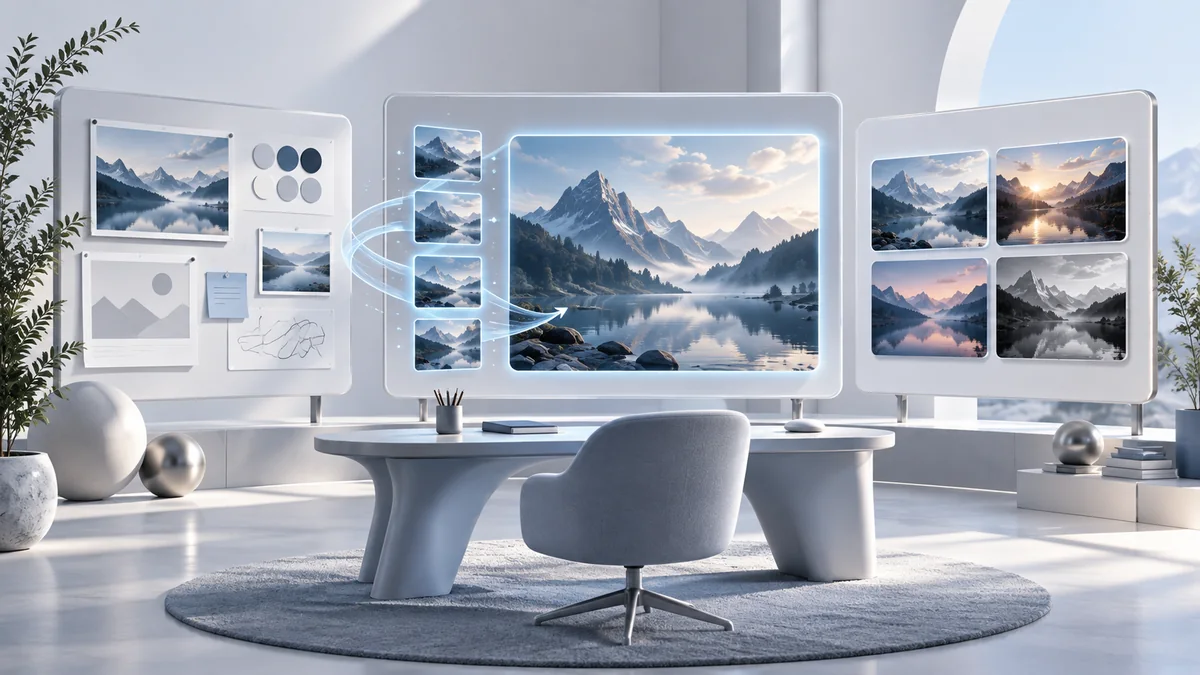
Create an illustration for a guide about fact-checking online claims. Ask for source cards, a magnifier, and a calm research workspace without embedded slogans. Keep the composition simple enough to read as a thumbnail. The illustration supports the theme; it is not a screenshot of Grok’s interface. Compare alternatives for relevance and clear visual hierarchy before adjusting lighting or surface details.
How to approach the task
Preserve provenance and inspect small defects. The current consumer FAQ says generated media includes a Grok watermark and prohibits removing provenance signals under its policy. Keep that context with your asset workflow. For API users, check current model and migration documentation rather than storing an old image model indefinitely. Add factual labels and article titles in the webpage when precision matters. Save the original prompt and selected image so later revisions can preserve the intended concept.
Step-by-step workflow
- Write a brief with subject, use, aspect ratio, and exclusions.
- Check current Imagine controls or API documentation.
- Generate alternatives with distinct compositions.
- Inspect defects and preserve applicable provenance signals.
- Optimize the selected image and add descriptive alt text.
Reusable prompt
Use this prompt as a starting brief, not a substitute for source material. Replace the brackets with approved information and remove instructions that do not apply. State the result you need before listing background details. If the assistant needs a missing fact to proceed, allow a focused question rather than demanding a complete answer that would require guessing.
Create a landscape editorial illustration of checking online claims: source cards, magnifier, and research desk. No fake interface, slogan, or invented logo. Keep a simple thumbnail-readable composition and preserve required provenance.After the first response, describe the specific mismatch you want corrected. Name the omitted requirement, unsupported statement, or failing case instead of requesting a vaguely better version. Preserve the source facts during revision. Keep your accepted example together with the prompt so you can distinguish a useful recurring process from a one-time answer that happened to work.
Review checklist
- Artwork is not presented as an actual screenshot.
- Provenance signals are preserved.
- Visual details do not imply false specifications.
Review in two passes. First check substance: whether the output answers the intended question, preserves important constraints, and contains only supported commitments. Then check presentation: whether its structure, wording, and navigation make it usable for the intended reader. Fixing presentation first can make an incorrect answer more persuasive without making it more reliable.
Choose the review depth according to the consequence of being wrong. A fictional practice example may need a quick comparison; a public statement or external action needs stronger evidence. When the result depends on a source, open that source. When it depends on a calculation or program behavior, perform the relevant check. Record what you actually verified and keep unresolved points visibly separate.
| Stage | Useful record | Decision before moving on |
|---|---|---|
| Input | Approved source or reproducible sample | Is the task clear and the information permitted? |
| Draft | Output and explicitly stated assumptions | Does it match the requirement without invented facts? |
| Review | Checked claims or observed test results | Are important errors resolved and limits visible? |
| Handoff | Accepted result and unresolved questions | Can another person use it without hidden chat context? |
Practice exercise
Generate concepts for a fact-checking article and compare them at thumbnail size. Select one, request a single lighting change, and inspect subject preservation. Check for misleading interface elements and preserve applicable labels. Write alt text that describes the actual scene rather than stuffing tool keywords into it.
Common problems and repairs
If details obscure the theme, simplify composition. If the result implies a real screenshot, change the brief to conceptual illustration. If text accuracy matters, use a controlled layout layer. If a refinement changes the subject, state the invariant explicitly and compare it with the selected version.
Maintain a useful working process
Keep the reviewed result in the place where the work will continue, with a source or version reference when relevant. A teammate should be able to understand the purpose, confirmed information, and remaining questions without reading every chat turn. Remove temporary client details from reusable templates. Record the owner responsible for the next step so an attractive draft does not become an abandoned task.
Recheck the process when the task, source, or product changes. Start with the saved example most likely to be affected and compare the new result with the accepted baseline. If the same defect repeats, repair the instruction or review stage instead of patching the final wording each time. Keep the useful structure, but retire obsolete assumptions. This makes the workflow maintainable without turning every update into a complete rebuild.
Download the prompt and review checklist to keep your own practice record.
Frequently asked questions
Can I remove a Grok watermark?
The checked consumer FAQ says there is no removal setting and prohibits removing or obscuring provenance signals under its policy. Preserve the output’s applicable labeling.
Should I use generated art as a product photo?
Avoid presenting an invented item as the actual product. Use real reference material and inspect specifications when the image will inform a purchase.
How do I improve a weak image?
Fix the subject and composition first. Decorative polish does not solve an irrelevant scene or misleading representation of the topic.
Where should exact text go?
Use the webpage or a controlled design layer for text that must be accurate. Check every embedded label if the generated image contains one.
What should I archive?
Keep the prompt, original output, selected web copy, and source-image context where applicable. This supports consistent revisions and preserves provenance.
Do I need every advanced feature to use this workflow?
No. Begin with the smallest version that produces the reviewed outcome. Check the specific controls and account requirements in the linked official help. If a feature is unavailable, use a sanitized manual input where appropriate instead of assuming an integration or mode exists.
How should I adapt the reusable prompt to my own work?
Replace the example with approved facts and specify the intended reader, result, and constraints. Remove irrelevant instructions rather than stacking more requirements indiscriminately. Keep uncertain details marked unknown, and compare the first output with the original brief before turning the prompt into a recurring process.
What information should I avoid putting into practice examples?
Use fictional or sanitized examples unless the real information is necessary and permitted for the product and account you use. Consider indirect identifiers and confidential context as well as obvious names or credentials. Preserve enough task structure to test the workflow without including unnecessary private detail.
How can I tell whether the assistant actually improved my work?
Compare the reviewed result with a baseline you understand. Look for fewer factual errors, clearer next actions, or reduced repair effort, depending on the task. Do not judge success solely by output length, polished formatting, or a confident tone. Record the defect corrected and the evidence supporting the improvement.
When should I review this guide’s product details again?
The product checks on this page are dated 4 October 2026. Consult the linked official documentation when account options, model names, permissions, or interfaces differ. The worked examples are editorial methods rather than a promise that every feature is available to every user or remains unchanged indefinitely.
Sources and related guides
Use these official resources to check product behavior and availability. The practical scenarios above are fictional examples, not measured product benchmarks. When a current interface differs from this guide, prefer the applicable official documentation and recheck your account. Keep source evidence beside conclusions rather than treating links as decorative proof.
Continue with Grok Imagine Video: Build Clips from a Clear Storyboard, or Grok for Coding: Reproduce Bugs and Check Fixes. Compare another assistant’s approach in the practical Claude beginner guide.