Reviewed 6 October 2026. Product statements are grounded in the linked documentation. Workflows and fictional examples are editorial guidance.
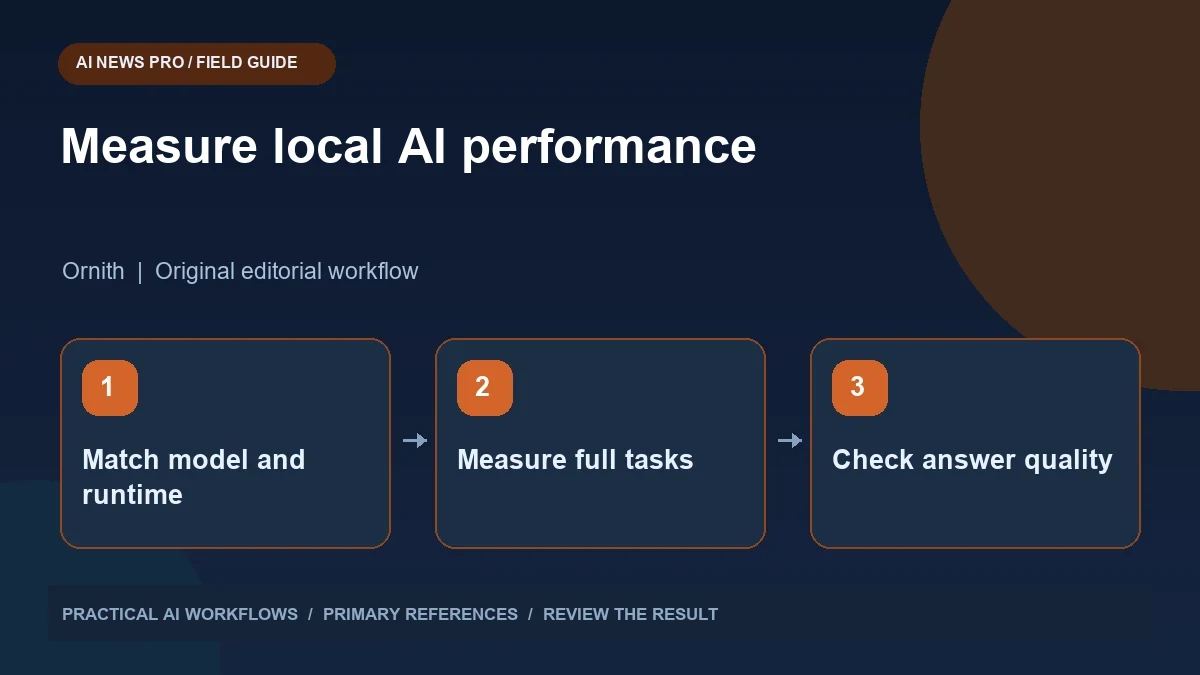
Original AI-generated concept illustration.
Faster decoding is only part of useful speed
Local inference performance matters when you repeatedly wait for answers, run a queue of tasks, or need responsive interaction. A new acceleration method can help, but a headline speedup rarely describes every workload. Prompt processing, output generation, model loading, and tool calls contribute differently to elapsed time. A practical Ornith and DFlash evaluation should measure the work you actually do, while preserving output quality and a reproducible baseline.
Ornith's model cards describe DFlash draft checkpoints that operate with a target model rather than as standalone assistants. The cards list compatible serving runtimes and launch guidance. A public reproduction repository reports speedups under specified hardware and decoding conditions. Those results are useful leads, not measurements from this guide or universal guarantees. Check the current model cards and runtime requirements before planning an installation or comparing results from different machines.
Documentation: Ornith 9B DFlash model card.
Understand the target and draft roles
Speculative decoding uses a draft component to propose token sequences that the target model evaluates. The intended benefit is to reduce the work needed to generate accepted output. The practical setup therefore includes more than a model filename: it needs a compatible target, draft checkpoint, runtime, and configuration. A mismatch can produce startup failures or poor performance. Begin with the documented pair instead of choosing checkpoints solely because their names look related.
Keep the serving configuration in a separate record. Include model revisions, runtime versions, precision or quantization, and important memory settings. Record the hardware and available memory. If you change several components at once, you cannot identify which caused a performance difference. A baseline that can be recreated is more valuable than a single exciting result without enough information to repeat it. Preserve the working setup before experimenting with another runtime release.
Define the workload before benchmarking
Choose a small set of prompts that represent your task. For an editorial assistant, include a short rewrite, a source-based summary, and a longer structured brief. For coding, include a focused repair and a small implementation with tests. Keep input length and expected output requirements stable. A benchmark that generates a short generic answer may tell you little about a workflow that reads long project files and calls tools repeatedly.
Separate warm-up from measured runs. Model loading and initialization can dominate the first request. Record time to first useful output and total completion time as different values. Also record input and output sizes, failed requests, and any retries. If a response is incomplete, do not compare its short duration with a completed baseline. Useful speed means producing the accepted result sooner, not merely producing fewer tokens or stopping early.
Establish a quality baseline
Run the workload without the acceleration configuration and save the outputs. Use an acceptance checklist tailored to the task. For summaries, check preservation of facts and uncertainty. For code, run the relevant behavior or tests. For structured records, parse the result and validate required fields. Do not judge quality from fluency alone. The baseline should show what a satisfactory result looks like on your own input.
Keep decoding settings comparable. If one run uses deterministic settings and another uses creative sampling, differences may reflect that change rather than acceleration. Some tasks naturally permit several valid answers, so score the requirements rather than exact wording. For consequential claims, inspect source support in both outputs. A faster configuration is useful only if the result remains adequate for the job and does not shift review effort onto the user.
Compare under controlled conditions
Change one major variable at a time. Start with the documented acceleration configuration while preserving the workload and quality checks. Repeat enough runs to identify ordinary variation. Use median elapsed time rather than selecting the fastest attempt. Keep concurrency consistent. A setup that performs well for one request at a time may behave differently under several simultaneous requests because memory and scheduling pressures change.
Report the result with its conditions. Say that a specific workload completed in a certain time on a named setup, rather than saying the model is a fixed number of times faster everywhere. Include unsuccessful requests and quality failures. If generation speed improved but total completion time barely changed, explain which stage dominated the task. That is valuable information: it may show that source retrieval or tool execution is the bottleneck rather than token decoding.
Account for memory and operating cost
A draft checkpoint adds to the resources required by the serving setup. Leave space for the target model, draft component, runtime overhead, and context storage. Read the documented memory guidance rather than relying only on the base model's parameter count. Quantization can change requirements and behavior, so record the actual artifact you load. A setup that barely starts may fail when a realistic request uses a larger context or more concurrent work.
Consider total operating effort. Local inference involves configuration, updates, hardware availability, and troubleshooting. A free checkpoint does not make electricity, equipment, or maintenance free. Compare these costs with the benefit for your workload. For occasional tasks, a simpler setup may be more practical. For a repeatable high-volume job, a measured acceleration improvement may justify a more involved deployment. Let the decision follow observed use rather than a headline benchmark.
Troubleshoot from the smallest working case
If the accelerated server fails, return to the baseline and verify that the target model works. Then check the draft pairing, runtime version, and memory settings. Read the actual error instead of changing several flags at random. Use a small prompt to distinguish startup problems from failures caused by long inputs. Keep logs focused and avoid including sensitive task content when sharing an issue with a maintainer.
If performance becomes worse, inspect whether the workload matches the conditions under which acceleration helps. A short output may offer little opportunity to benefit. A long prompt can make initial processing the dominant cost. A different concurrency pattern can alter resource use. Treat slower results as evidence about the setup rather than assuming the benchmark must be wrong or your application must be misconfigured. Record the conditions and compare with a reproducible example.
Decide whether to adopt the configuration
Summarize the trial with four findings: quality, responsiveness, resource use, and maintenance effort. Choose the accelerated setup only if it improves the result that matters. Keep the baseline available for recovery. Recheck the workload when updating the model or runtime. If the new release changes requirements, repeat the accepted sample before moving the production queue. A useful performance decision is a maintained comparison, not a permanent conclusion from one test.
Document the supported workload and limits for anyone who will use the service. Explain whether it was tested with single requests, longer inputs, or concurrent jobs. Keep benchmark results separate from promises about every future task. This allows users to choose realistic expectations and gives you a clearer starting point when a request behaves differently. Local acceleration is most valuable when it produces repeatable improvements that remain visible after the excitement of the release.
Frequently asked questions
Can I use a DFlash draft checkpoint alone?
The checked model cards describe it as a component paired with a target model. Follow the documented serving setup rather than treating the draft as a standalone assistant.
Does a reported speedup apply to my laptop?
Not automatically. Hardware, memory, runtime, prompt length, sampling, and concurrency can change the result. Measure a representative workload on your actual setup.
Which metric should I prioritize?
Choose the metric that affects your work, such as time to a reviewed complete result. Token throughput alone can hide startup, prompt-processing, and repair costs.
What should I save from a benchmark?
Preserve configuration, model revisions, workload, outputs, timing, quality checks, and failures. These records make the comparison reproducible and useful after updates.
Resources and related articles
Continue with Ling 3.1 Flash in OpenCode: A Practical Coding Evaluation, DeepSeek Harness Plugins: From Task Brief to Tested Extension, or Grok Models and Limits: Choose a Practical Setup.