Updated October 5, 2026. A practical guide to OpenMuse, with examples, FAQs and official resources. Check the linked product documentation for current access, setup and limitations.
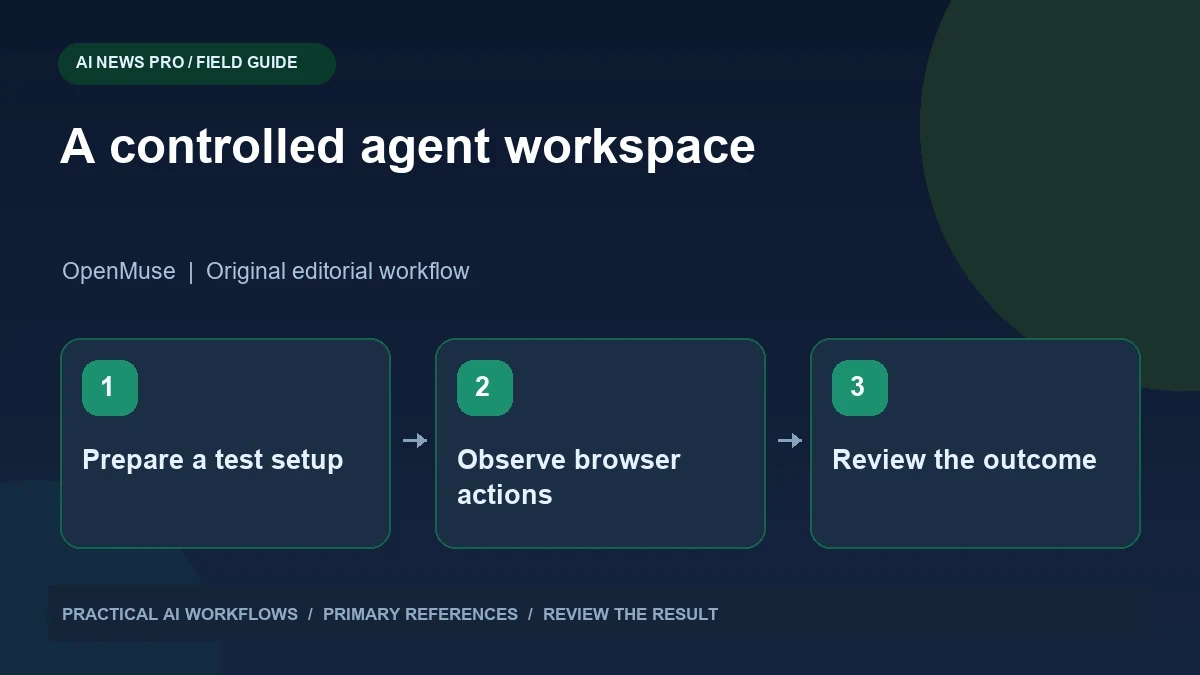
Illustration: an original editorial workflow graphic created for this article.
Start with the documented setup, not a slogan
OpenMuse is an open-source project for a self-hosted agent environment with browser and computer-related capabilities. Its official repository describes an alpha application with persistent task handling and an optional container worker. The current setup requires a CopilotKit Intelligence project key; a model-free sample is not equivalent to a live autonomous configuration without required credentials. Start with a small public research task and a recoverable development environment. This guide focuses on documented setup, visible browser actions, task persistence, and controlled integration trials. Evaluate what works in your configuration before treating the project as a replacement for an established production workflow.
Treat the project as an experiment you can inspect and control. Before installation, identify the exact task you want it to perform and the environment it will use. A fictional browser research task is easier to evaluate than a live workflow across personal accounts. Record the repository version and follow its current setup instructions. Videos are useful demonstrations, but a setup guide must account for the dependencies and configuration required by the version you actually install.
Prepare a small and recoverable environment
Use a separate development directory and keep unrelated files out of the agent's workspace. The repository currently specifies a modern Node and pnpm environment and documents configuration steps for its backend. Consult that checklist directly rather than guessing compatible versions from an older tutorial. Confirm the application starts and that the basic sample interface works before connecting a live model.
Keep a note of what each credential enables and where it is configured. Store values in the documented local environment mechanism and exclude them from version control. If you enable a container worker, understand which files and network access it can use. Do not assume a container has the same access as the host, or that isolation automatically protects every integration. A deliberately small workspace makes unexpected behavior easier to recognize and cleanup straightforward if the experiment is unsuccessful.
Continue the workflow: Grok Bot vs Dots vs Hermes Agent: Compare the Workflow You Actually Need.
Choose a first task with visible evidence
Give the agent a task such as researching three public product documentation pages and producing a comparison table. Supply the URLs, the fields to compare, and a requirement to link each factual statement to its source. Specify that it should not sign into accounts, submit forms, or modify external records during this test.
Observe the browser steps and inspect the final table. Did it visit the supplied pages, confuse a pricing tier, or substitute a third-party summary? Ask it to mark missing information instead of inventing a value. A task with a clearly inspectable result lets you distinguish navigation success from reasoning quality. Save the source pages or retrieval notes where practical so you can repeat the comparison after a change. This establishes a baseline before more complicated workflows introduce additional failure points.
Understand persistence and the running service
A persistent task system can retain state, but that does not mean all work proceeds without the service running. The OpenMuse repository explains the role of its server and task infrastructure. Test the actual lifecycle in your configuration: start a task, pause or stop the relevant service, restart it, and inspect what resumes and what remains incomplete.
Document the outcome in ordinary language. For example, the task record survived restart, but browser execution needed the worker to reconnect. That is more informative than saying the agent runs forever. Also test cancellation and recovery from a navigation failure. You want to know whether a repeated task creates duplicate output or safely continues from a known point. Long-running workflows become easier to trust when their state transitions are visible and the user can tell whether they are active, waiting, failed, or finished.
Add integrations one at a time
Once the public research task works, consider one authorized integration that would provide real value. Read its setup requirements and identify what permissions it needs. Use fictional records where possible and inspect every proposed external write during the first trial. An agent reaching the correct page is not enough; the submitted fields and resulting record must also be correct.
For a document workflow, begin with a draft or test folder. For a form workflow, use a controlled example rather than a real customer account. Define the point where the agent should pause for review and what information it must present. Keep the integration narrow until you understand failure and retry behavior. Adding several services simultaneously makes it difficult to determine whether an error comes from credentials, navigation, data interpretation, or the agent's planning.
Continue the workflow: AI Agent Cybersecurity: Defending Against Prompt Injection, Jailbreaks, and Poisoning.
A worked example to try
A first OpenMuse research trial could compare three public documentation pages about export formats. Supply the URLs and ask for a table containing supported format, relevant limitation, and source link. Require an explicit unknown where a page does not establish a value. Observe navigation and check each returned link yourself.
Interrupt the trial in the test environment and inspect what state remains when the service returns. Record whether the task resumes, needs a retry, or requires a new instruction. Do not generalize a successful public-page comparison to workflows involving private accounts. The small trial gives you a repeatable baseline, exposes configuration problems, and helps you understand the lifecycle before you decide whether the project deserves more setup and integration effort.
Decide whether self-hosting is worth the effort
Evaluate setup time, dependency maintenance, task reliability, and the control you gain. Self-hosting can be valuable when you need inspectable code and a configurable environment, but it also gives you responsibility for updates and troubleshooting. Compare the experiment with a simpler hosted workflow using the same task and review criteria.
Write a short operational note covering start, stop, backup, update, and recovery. Record the limitations you observed rather than presenting the alpha project as a finished replacement for every assistant. Keep a successful example task and a failed example with the recovery steps. The useful result is a working, understood system for a specific job. Your decision about OpenMuse should rest on the documented requirements and behavior you can verify in your own environment.
Frequently asked questions
Does OpenMuse require no API or project keys?
The current official setup requires a CopilotKit Intelligence project key. Model-free samples do not establish that a live autonomous configuration works without required credentials.
Is OpenMuse a finished production platform?
The repository describes an alpha project. Evaluate it with a small task and record limitations, setup requirements, and recovery behavior before relying on it.
What should the first task be?
Use an inspectable public research task with supplied URLs and a clear output format. Avoid external writes until you understand navigation and review behavior.
Does persistent state mean the service can be stopped?
Not necessarily. Test which records survive restart and what execution requires a running server or worker. Document the observed behavior of your configuration.
Why add only one integration initially?
It makes failures easier to diagnose. Credentials, permissions, browser behavior, and reasoning can each fail independently, and a narrow trial separates those causes.
How should I evaluate self-hosting?
Compare maintenance effort, control, reliability, and reviewability against a simpler alternative using the same task. Keep the setup only if its benefits justify the work.
Resources and references
Use these links to verify capabilities, access and setup. Product documentation can change after this editorial check.