Updated October 5, 2026. A practical guide to AI agent comparison, with examples, FAQs and official resources. Check the linked product documentation for current access, setup and limitations.
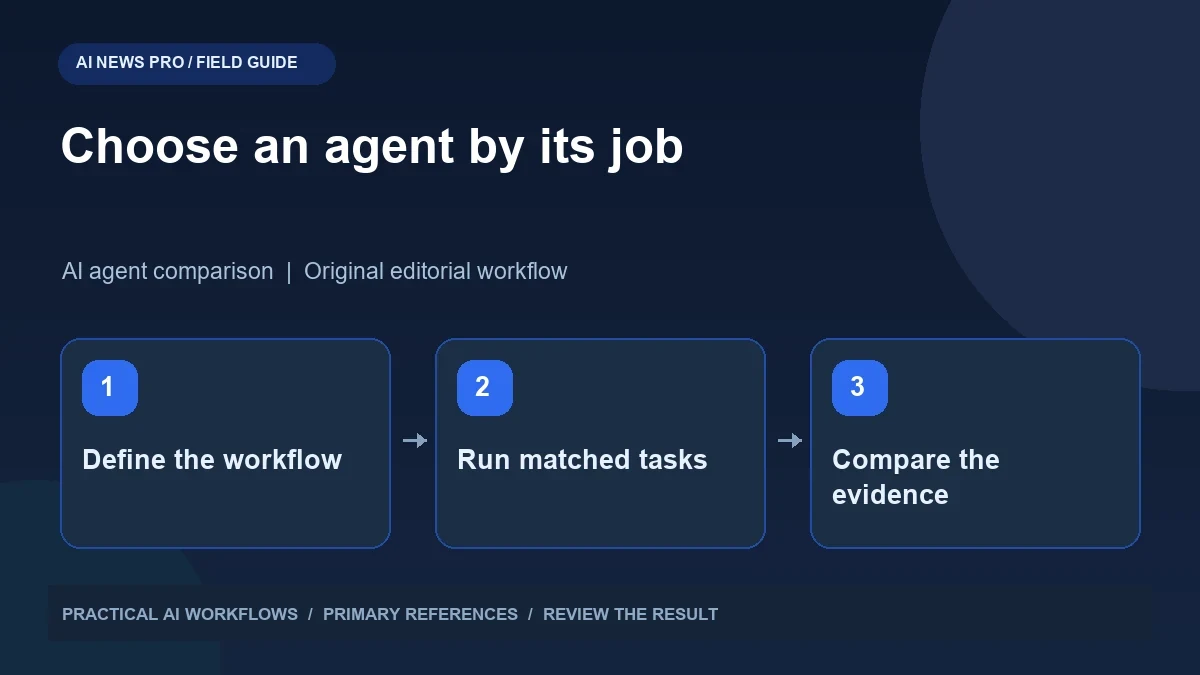
Illustration: an original editorial workflow graphic created for this article.
Define a fair agent comparison
Grok Bot, Dots, and Hermes Agent should be compared against the work you actually need done. A personal preference or isolated trial is not a controlled benchmark, and a universal ranking can hide important differences in access and setup. Your best choice depends on the task, account eligibility, environment, integrations, and technical maintenance you are willing to handle. Define a result you can inspect, specify what the agent may read or change, and run matched examples where possible. This guide compares reliability, reviewability, recovery, and practical effort so you can make a dated decision that fits your own workflows.
Write the job before choosing the tool. Do you need a browser assistant for occasional public research, an agent that works across connected services, or a configurable environment for recurring technical workflows? State what the agent may read and what it may change. Then define success in terms of a result you can inspect. A comparison grounded in your work is more valuable than a universal winner that assumes everyone has the same accounts, permissions, and priorities.
Map the environment and access requirements
Consult each product's official documentation for current access and setup. Grok Bot documents a computer-based workflow and controls around approvals and privacy. Dots documentation describes availability and execution environments; do not assume that every account or region has access. Hermes documentation explains a configurable agent system whose setup depends on the selected providers and tools.
Make a comparison sheet with environment, account requirement, integrations, state persistence, review controls, and maintenance responsibility. Mark unknowns explicitly. A task that works on a hosted computer may not reach a file on your personal machine without a suitable connection. Likewise, a locally configured agent may need you to maintain dependencies and credentials. These differences shape practical usability more than a polished demonstration. Resolve the prerequisites before spending time on performance comparisons.
Continue the workflow: OpenMuse: A Practical Guide to a Self-Hosted Agent with Its Own Computer.
Use three representative tasks
Choose a research task, a controlled file task, and a workflow with a review point. For research, supply several public references and ask for a source-backed comparison. For files, use a fictional dataset and request a clearly specified transformation in a test directory. For the review task, ask for a draft record or message and require the agent to show its contents before any authorized submission.
Give each agent the same objective, starting material, and acceptance criteria where its environment permits. Record unavoidable differences rather than quietly compensating for one tool. Do not count an unsupported task as a reasoning failure if the required integration is unavailable. Instead, mark it as a capability or access limitation. This distinction helps you choose between tools without confusing product scope, setup errors, and the quality of the agent's actual decisions.
Score reliability and reviewability separately
For each task, record whether the result was correct, whether sources or changed files were inspectable, whether the agent recognized missing information, and how much intervention was needed. Track failures as carefully as successes. A tool that confidently submits incorrect information should not receive the same review score as one that pauses with a clear question.
Include the time required to configure and repair the workflow. A technically flexible agent may suit you well if you already maintain scripts and integrations, while another user may value an easier initial setup. Keep the scoring explanation visible. A single total can hide a serious weakness in the one task you care about most. Prefer a small set of observations with examples: correct research, unclear provenance; successful file edit, excessive changes; good draft, insufficient review controls.
Test recovery rather than only the happy path
Introduce a controlled failure such as a missing file, expired session, unavailable page, or incomplete input. Observe whether the agent retries sensibly, asks for help, or fabricates a result. Cancel a task and inspect its state. Restart the relevant environment where appropriate and check whether the agent can recover without repeating completed actions.
For connected services, investigate duplicate handling before allowing important writes. A retry after a timeout can create two records if the first submission actually succeeded. Use test records and examine the result directly. Record the recovery steps in your comparison sheet. Dependable agents need understandable failure behavior because real workflows rarely provide perfectly clean inputs. The ability to stop, inspect, and resume safely can matter more than shaving a few seconds off a successful demonstration.
Continue the workflow: Grok with Hermes Agent: Model Switching, Memory, and a Practical Evaluation.
A worked example to try
Use the same fictional CSV containing five customer-support topics for each available agent. Ask for a summary grouped by topic and an output file in a controlled test location. Include one blank field and one inconsistent label, and tell the agent to document how it handles them rather than silently correcting the evidence.
Inspect the file and compare it with the original rows. Note whether the result preserves counts, explains assumptions, and remains easy to reproduce. If an environment cannot access the file, record that limitation and use an equivalent supported input only with the difference made explicit. This test is modest, but it reveals practical distinctions in file access, instruction following, and transparent handling of imperfect data.
Choose a primary tool and keep the comparison dated
Select the agent that best fits your most frequent task and acceptable maintenance burden. Keep a second option only if it fills a clearly different need. Running several overlapping agents can create duplicated work and conflicting state. Document which system owns each workflow and where its outputs should be saved.
Date the comparison and retain the exact task briefs. Products, access rules, and integrations change, so your result is a snapshot rather than a permanent ranking. Revisit it when a meaningful change affects your work, not merely because another exciting demo appears. A matched evaluation with visible evidence gives you a practical decision you can explain, repeat, and revise when your needs change.
Frequently asked questions
Which agent is best for everyone?
There is no universal choice established by a personal comparison. Evaluate your own tasks, access requirements, review needs, and willingness to maintain the environment.
Should setup time count in the comparison?
Yes. Configuration, troubleshooting, and ongoing maintenance are part of the real cost of using an agent, particularly for recurring workflows.
What if one tool cannot access the same files?
Record that as an environment or integration limitation. Do not disguise the difference or treat it automatically as a failure of the underlying reasoning model.
How many benchmark tasks are enough initially?
Three representative tasks can reveal useful differences: research, controlled file work, and a workflow with a review point. Expand only when an unresolved decision requires it.
Why test failures deliberately?
Missing inputs and unavailable services occur in real work. Recovery, cancellation, and duplicate handling show whether a workflow remains manageable when things go wrong.
When should I repeat the evaluation?
Repeat it when your needs or a relevant product capability changes. Keep dated briefs and observations so you can compare the new result fairly.
Resources and references
Use these links to verify capabilities, access and setup. Product documentation can change after this editorial check.