Editorial check: October 5, 2026. Official release: October 2, 2026.
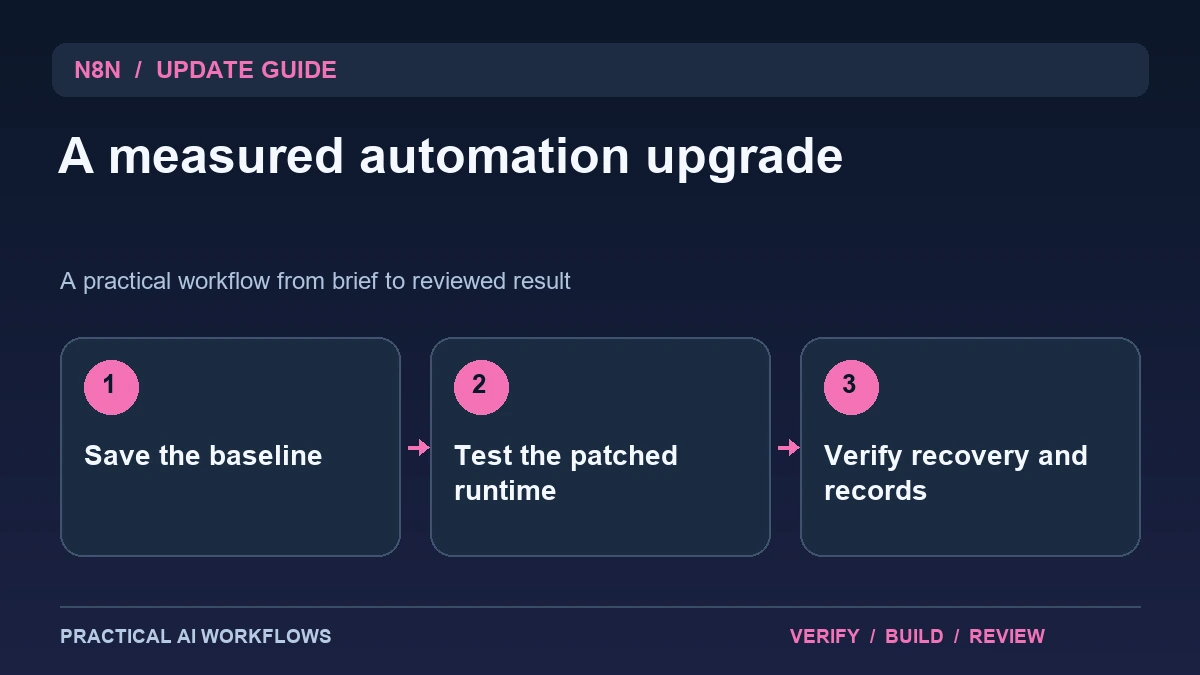
Illustration: an original editorial workflow graphic created for this article.
What the stable patch documents
The official n8n release list identifies 2.41.6 as a stable release dated October 2, 2026. Its listed fix keeps the task runner running after an unhandled promise rejection. The release page also distinguishes stable and prerelease versions, so choosing the highest-looking number is not the same as choosing the stable channel.
A small patch deserves a focused upgrade process tied to your actual workflows. It does not establish that every failure mode has been resolved or that an unattended workflow can run indefinitely without monitoring. Record the current version, representative executions, and recovery procedure before changing it. This guide explains a practical trial that verifies normal work, visible failures, and saved evidence, so the upgrade remains understandable and recoverable.
Inventory the workflows affected by the runtime
List the workflows that use code, task execution, external integrations, or queue processing relevant to your installation. Record the inputs, expected outputs, credentials by name, and downstream effects. Keep actual credential values out of the inventory and review notes.
Identify the workflows whose failure would create the most operational confusion. A draft report and a customer record update need different recovery attention. Choose representative examples for the upgrade trial, including one with a downstream action in a controlled test environment. Save a baseline execution and note what evidence appears when it succeeds. A focused inventory makes verification efficient: you test the important behavior without treating every unrelated workflow as a reason for a broad, repetitive audit.
Continue the workflow: How to Build a Multi-Agent System with LangGraph and AutoGen in 2026.
Prepare a backup and a known-good configuration
Follow the current deployment documentation for your installation type. Preserve the data and configuration needed to restore the known-good environment, and confirm that the backup is usable rather than merely that a file exists. Record the version and relevant deployment settings alongside it.
Use a test instance or a controlled maintenance path appropriate to the system. Avoid improvising an upgrade command copied from an unrelated setup. Keep environment-specific values separated so a trial does not accidentally connect to production destinations. Verify that schedules and external triggers will not duplicate live work during testing. The objective is an upgrade whose effect you can isolate and whose recovery steps are clear before a problem occurs, instead of learning how the deployment works in the middle of a failed change.
Test success, failure, and continued execution
Run the representative successful examples and compare their outputs with the baseline. Inspect execution records and confirm the expected destination state. Then use a controlled failing input or test operation and observe whether the failure is reported clearly and later work remains manageable.
Do not manufacture a dangerous production failure to demonstrate the release note. Use disposable inputs and a test destination. Check whether retries can duplicate outputs and whether partial work remains visible. Record the version, input, observed failure, and next successful execution. This gives you evidence about recovery in your own deployment without claiming that one test proves all runtime behavior. The useful question is whether the system remains understandable after something goes wrong and whether the intended work can resume safely.
A worked example: a scheduled editorial report
A fictional workflow reads a test source list, groups entries, and writes a draft report. Save a successful baseline before upgrading. After the patch, run the same input and compare the resulting report and execution record. Introduce a missing source field and inspect the failure path.
Correct the input and run the workflow again. Confirm that the completed draft is not duplicated and that the failed attempt remains distinguishable from the successful one. Check the schedule configuration before reconnecting the normal source. The example evaluates output, observability, and recovery together. It is small enough to repeat and does not require a live external commitment to establish whether the patched environment supports the expected process.
Continue the workflow: Make's TypeSafe Integration Update: Build a Reviewed Routing Workflow.
Distinguish a completed retry from a duplicate business action
A task runner may recover from an interruption while the external operation it started has already completed. Imagine a fictional workflow creating a support ticket, then losing the response before saving the ticket identifier. A blind retry can create a second ticket. Before upgrading or adjusting retry behavior, map which steps read information and which steps create or modify it. For every write, decide how the workflow recognizes an already completed action. Use an application-supported idempotency mechanism where available, and document any remaining ambiguity.
Build a controlled recovery example with synthetic data. Record the workflow execution identifier, outgoing action, external result, and saved checkpoint. Simulate an interruption at a safe point and inspect the resulting state before rerunning. The important observation is whether the business system contains one intended change, not merely whether the workflow eventually reports success. Also verify how an operator can discover and reconcile an uncertain result. A short recovery note should explain what to inspect, which operation is safe to repeat, and when human review is required. Keep that note alongside the upgrade record and configuration backup. These checks give a stable patch rollout practical meaning: the team can show that important workflows still complete correctly and that failures remain understandable after the version changes.
Complete the upgrade with a concise operational note
Record the installed version, backup, representative checks, observed failures, recovery steps, and remaining limits. Confirm that ordinary schedules and triggers are enabled as intended. Retain the known-good configuration until the new version has completed enough normal work to justify closing the trial.
Use the release channel deliberately and review relevant later notes rather than upgrading solely because another number appears. Measure interruption and repair effort, especially for workflows that run when no one is watching. A stable patch is valuable when it improves reliability while preserving a system the team can inspect and recover. The operational note should let another person understand what changed, what was checked, and how to respond if a future execution fails.
Frequently asked questions
What version is discussed here?
The official stable release is n8n 2.41.6, dated October 2, 2026. Its listed patch concerns task-runner behavior after an unhandled promise rejection.
Should I choose a higher prerelease number?
Use the release channel appropriate to your deployment. A prerelease label describes a different adoption decision from a stable patch.
Does the patch eliminate every workflow failure?
No. Verify your own inputs, integrations, mappings, and recovery paths. The release note describes a specific fix, not universal reliability.
What should be backed up?
Preserve the data and configuration required by your deployment's restore process and confirm the backup is usable. Keep credentials out of shared review notes.
How should failures be tested?
Use disposable inputs and controlled destinations. Inspect the failed execution, retry behavior, and subsequent successful work without creating unnecessary production disruption.
What completes the upgrade review?
A concise record of version, backup, representative checks, recovery procedure, and known limits helps the team maintain and troubleshoot the workflow.
Resources and references
Official references checked on October 5, 2026. Consult the current documentation for access, setup and limitations.