Updated October 5, 2026. A practical guide to DeepSeek Harness, with examples, FAQs and official resources. Check the linked product documentation for current access, setup and limitations.
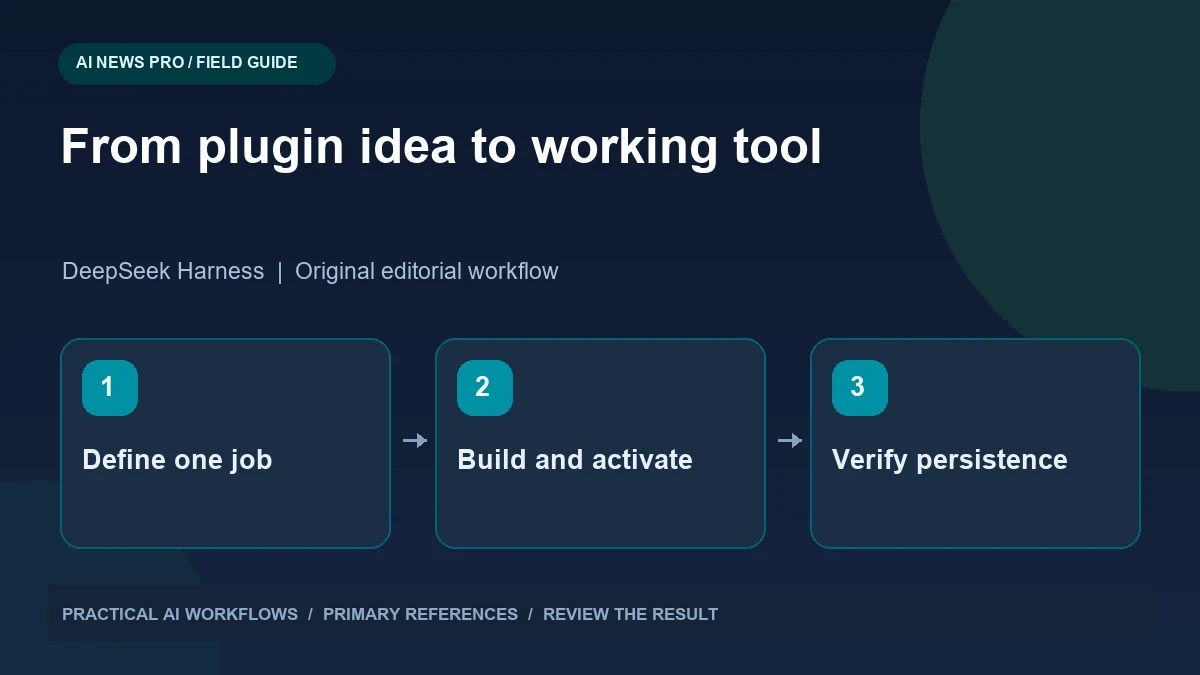
Illustration: an original editorial workflow graphic created for this article.
What the recent demonstration suggests
DeepSeek Harness uses a plugin-oriented architecture that can support small custom tools. The official repository presents a preview project, and its development guidance distinguishes installing a plugin from activating it, including cases where a restart is necessary. Those distinctions matter when an assistant says a capability is ready. Begin with a narrowly scoped tool whose inputs, outputs, and lifecycle you can inspect. A local timer or formatter makes a useful first experiment because its behavior is straightforward to verify. This guide walks through a minimal contract, isolated development, registration checks, failure handling, and restart testing before adding more integrations.
Begin with a narrowly scoped plugin whose output you can inspect. A task timer, local note formatter, or report template is easier to evaluate than an integration that touches several external accounts. Decide what success means before asking the agent to build it. A successful timer plugin should expose the expected tool, return valid state, handle invalid duration, and remain usable after restarting. A generated file or an installation message alone does not establish all of those outcomes.
Specify a minimal plugin contract
Write down the inputs, outputs, and errors in plain language. For a timer, inputs might include a session name and duration in minutes. Outputs could include the identifier, scheduled end time, and current status. Define a cancellation action and specify what happens if someone asks for an impossible duration or an unknown session.
Keep the first version local. Do not add messaging, calendar access, or cloud synchronization until the basic lifecycle works. Ask the assistant to explain where state lives and what survives restart. A timer that exists only in memory may be acceptable for a demonstration, but it should not be described as persistent. A simple contract allows you to evaluate generated code directly and prevents extra features from hiding missing core behavior. It also gives future reviewers a concise account of what the plugin is supposed to do.
Continue the workflow: Claude Code Mods: Build a Useful Custom Interface for Your Coding Workflow.
Prepare an isolated development environment
Use a disposable project directory and fictional data for the first attempt. Follow the current repository's setup instructions rather than treating a video command as permanent documentation. Preview software can change quickly, so record the version or commit used. Install only the dependencies needed by the example and keep your normal work files outside its test area.
Before enabling a generated plugin, read the package manifest and the relevant source files. Identify network calls, file access, subprocesses, and dependencies you did not expect. Ask the assistant to explain each of them. A local timer does not normally need broad filesystem access or an external service. If the environment asks for provider credentials, configure them through its documented mechanism and keep them out of committed files and screenshots. These checks make the experiment easier to reproduce and easier to discard if it fails.
Generate the implementation in reviewable stages
Ask for the plugin skeleton first, then its core logic, then the integration with the host. Review each stage against the contract. Request a short explanation of the plugin entry point and how tools become available. Keep the generated changes in version control so you can inspect additions and revert a broken stage.
Do not combine unrelated cleanup with the feature. If a dependency conflict appears, resolve it explicitly and record why the change was necessary. Ask the assistant to avoid declaring success until it has called the actual exposed tool. A function tested directly in a script may work while its registration in the host is broken. The useful milestone is an end-to-end request through the same interface a user will invoke, with output that matches the documented contract.
Test activation, failure, and restart
Verify the plugin appears in the active tool inventory. Invoke its simplest operation and inspect the result. Then try invalid inputs and cancellation. Restart the host and repeat the check. If activation requires a restart, make that step part of the instructions rather than treating it as an unexpected inconvenience.
For persistent state, create a session, stop the host, restart it, and inspect the recovered session. Decide what should happen if its scheduled end passed while the process was stopped. Test two sessions with similar names to ensure identifiers do not collide. Capture enough evidence to distinguish a code failure from a registration failure or missing configuration. These tests are more meaningful than repeatedly asking the agent whether the plugin works, because they exercise the actual lifecycle and expose assumptions about the environment.
Continue the workflow: How to Build a Multi-Agent System with LangGraph and AutoGen in 2026.
A worked example to try
For the timer example, request a twenty-minute session named Draft Review. Invoke the registered tool and save the returned identifier. Cancel that session using its identifier and confirm its status changes. Try cancelling it again and inspect whether the response is understandable rather than an unexplained error.
Create another session, restart the host, and inspect whether it remains available according to the documented design. If persistence was not implemented, label the limitation clearly instead of presenting the demonstration as a durable scheduler. Check the plugin's removal instructions in the test environment. This sequence exercises creation, cancellation, repeated requests, restart, and cleanup—the ordinary lifecycle users will encounter after the excitement of seeing the agent generate its first extension.
Expand only after the basic lifecycle is reliable
Once the small plugin works, choose one useful extension. A timer could produce a daily summary or export a local CSV. Each new feature needs a revised contract and a review of the additional access it requires. Keep user-facing descriptions honest about limitations, including whether the host must remain running and whether notifications are actually delivered.
Document installation, activation, configuration, examples, and removal. Include a known-good invocation with expected output. Share the plugin only after testing it in a clean environment, because your development machine may contain undeclared dependencies. The exciting part of agent-generated extensions is the short distance between an idea and a prototype. The dependable part comes from ordinary engineering: clear scope, reviewable changes, real activation checks, and evidence that the implementation behaves as promised after the first demo.
Frequently asked questions
Does generating plugin files prove the tool works?
No. Verify registration, activation, and an actual invocation through the host. A file can exist while the tool remains unavailable or incorrectly configured.
Why start with a local productivity tool?
Its inputs and outputs are easier to inspect, and it needs fewer integrations. This makes lifecycle problems easier to identify before adding external services.
Is a restart sometimes required?
The official plugin practice distinguishes installation from activation and documents restart-related behavior. Follow the instructions for the version you are using.
What should I record for reproducibility?
Save the repository version, setup steps, dependencies, configuration names, plugin contract, and a successful invocation. Keep credential values out of shared records.
How do I verify persistence?
Create state, restart the host, and inspect the recovered result. Also test what happens when a scheduled event expires while the host is stopped.
When should I add more features?
After the minimal lifecycle works reliably. Add one capability at a time and review any new access, dependencies, or persistence requirements.
Resources and references
Use these links to verify capabilities, access and setup. Product documentation can change after this editorial check.