Editorial check: October 5, 2026. Official release: September 30, 2026.
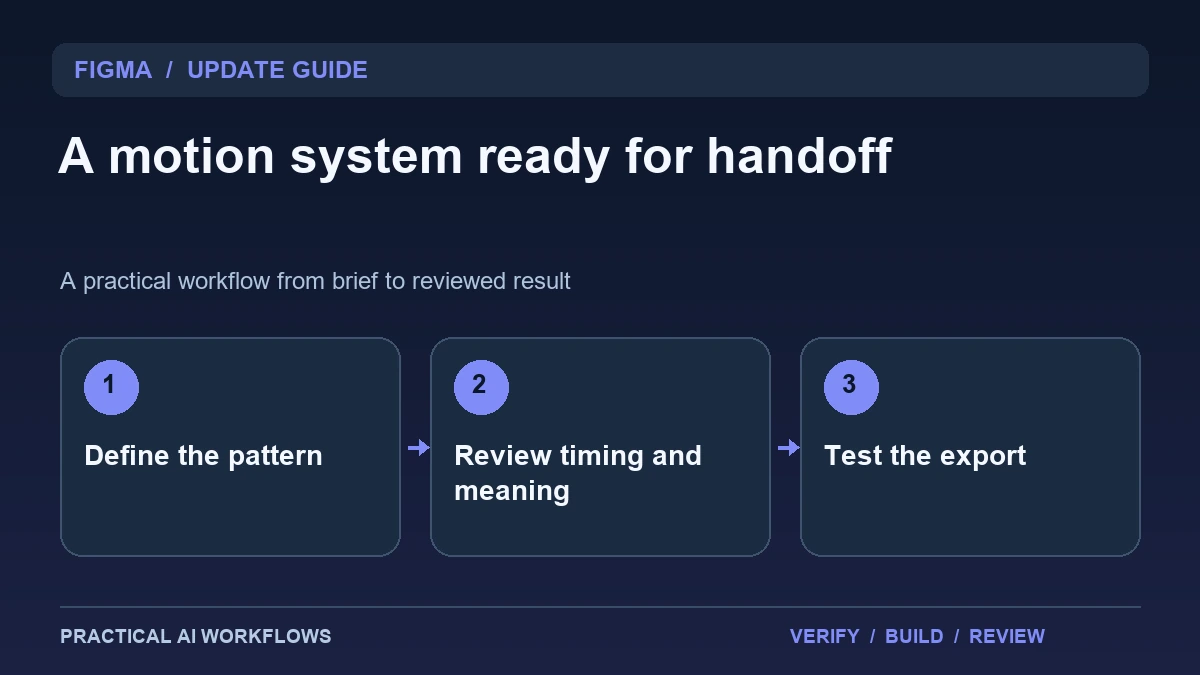
Illustration: an original editorial workflow graphic created for this article.
What changed in Figma Motion
Figma's September 30 release notes describe custom animation styles, audio, text animation, and supported Lottie export in Motion. The release also connects reusable styles to agent-assisted workflows. These additions make it easier to treat motion as part of a design system rather than rebuilding a similar animation in every file.
The practical question is which movement helps the product communicate. A loading state, completed action, or transition can clarify what changed, while unnecessary movement can distract. Begin with one reusable pattern and define its meaning, timing, and limits. This guide explains how to review the pattern, connect it to a component, and test the handoff. A convincing preview is valuable, but the final implementation must preserve the intended behavior and remain usable in the environment where people encounter it.
Define a motion brief with an observable purpose
Write the state before the animation, the event that triggers it, and the state afterward. For a completed upload, the motion should help the user recognize completion rather than merely decorate the icon. Define duration and easing in relation to the job, not as arbitrary values copied from a fashionable example.
Specify where the pattern should be used and where it should not. An attention cue appropriate for a one-time success can become irritating when repeated continuously. Include a quieter alternative for contexts where motion needs to be reduced. Review the sequence without relying on sound or color alone to explain the outcome. A good motion brief lets another designer understand the intended communication and gives a developer concrete behavior to reproduce.
Continue the workflow: Build a Website with Claude: A Beginner’s Workflow.
Build one reusable pattern before a library
Create a single component example with its normal, active, and completed states. Apply the animation style and inspect the transition at the intended display size. Check whether the pattern remains clear when the label is longer or the surrounding layout is narrower. Use realistic content rather than a perfectly short placeholder.
Name the style according to its purpose and document the properties it controls. Keep unrelated transitions out of the first pattern. If you combine styles, inspect the interaction rather than assuming their effects remain independent. Save an accepted example and a brief explanation of when to use it. A small reliable library is easier for a team to adopt than a large collection whose naming and behavior are difficult to interpret.
Treat audio and text as part of the message
If sound accompanies an animation, decide what it adds and whether the product remains understandable without it. A short confirmation sound should not mask an important spoken message or surprise someone in a quiet environment. Keep audio choices consistent with the actual product use rather than the presentation demo alone.
For animated text, review reading time, line breaks, and the order in which information appears. Essential instructions should not disappear before a user can read them. Test long copy and translated variants where those are part of the project. Keep an ordinary text explanation for information conveyed in a visual sequence. The design should communicate a state clearly, with animation supporting comprehension rather than becoming the only way to understand what happened.
A worked example: a file-upload success state
A fictional client portal shows a file uploading, then confirms that the file has been received. The motion brief defines a restrained progress state and a short transition into a persistent success message. The message includes the filename and a next action, while the animation reinforces the completed state.
Test a long filename, a failed upload, and a second upload immediately afterward. The success animation should not appear for a failed request or make an old success look current. Review the sequence without audio and inspect a reduced-motion alternative. This example connects a reusable visual pattern to real state changes, which is more useful than an animation that looks polished but runs independently of the application's actual result.
Continue the workflow: Ideogram 4.5 Image Editing: A Controlled Workflow for Product Graphics and Banners.
Catch a motion effect that fails outside the design file
An animation can look clear in an editor while becoming distracting in the final interface. Consider a confirmation message that moves quickly and disappears before a user finishes reading it. Review the message at the actual screen size and in the context of the task. Check whether the information remains available after the animation ends. If the motion adds no useful meaning, simplify it. Record the intended behavior in the handoff so a developer can distinguish an essential state transition from an optional decorative effect.
For an exported asset, verify the format and destination rather than assuming every editor feature translates perfectly. Build a small sample in the receiving application and compare its timing, layout, text, and sound with the approved reference. Ask what should happen when animation is reduced or audio is unavailable. A static alternative may communicate the same state more clearly. Keep the original design and approved export together so a reviewer can identify a mismatch without reconstructing the process. When an export looks wrong, narrow the example to the smallest failing effect before rebuilding the entire composition. That focused comparison produces a more useful handoff than an attractive preview with undocumented dependencies.
Verify the exported and implemented result
Export the supported animation and open it in the target viewer or application. Check dimensions, timing, loop behavior, and any feature that did not transfer. A design-tool preview and an exported asset can differ, so retain both in the handoff and explain known limitations.
Give the developer the motion brief, style name, relevant states, accepted example, and fallback. Inspect the implemented behavior with real events rather than a manually triggered showcase. Keep a review note when timing or composition must change to fit the product. The update is useful when it shortens the path from a coherent design pattern to a dependable implementation. Reuse should preserve meaning, and the final handoff should show what was checked instead of assuming the export alone proves success.
Frequently asked questions
When was the Motion update released?
Figma's release notes date the relevant styles, audio, text-animation, and Lottie additions to September 30, 2026. Consult current documentation for supported exports.
What should the first pattern be?
Choose a small state transition with a clear purpose, such as upload completion. Define the trigger, resulting state, timing, and quieter alternative.
Does Lottie export guarantee identical implementation?
No. Test the export in its target environment and document differences. A successful preview does not establish that every feature transfers unchanged.
Should sound carry essential information?
Keep the outcome understandable without audio. Sound can support a cue, but users may mute it or encounter the product in a context where it is unsuitable.
How should animated text be reviewed?
Inspect reading time, line breaks, long copy, and translated variants. Important information should remain understandable after the animation finishes.
What belongs in a motion handoff?
Include the purpose, trigger, states, style properties, export, accepted example, fallback, and verification notes. This helps developers reproduce behavior rather than guess it.
Resources and references
Official references checked on October 5, 2026. Consult the current documentation for access, setup and limitations.