
Editorial check: October 5, 2026. Official release: Official announcement undated; checked October 5, 2026.
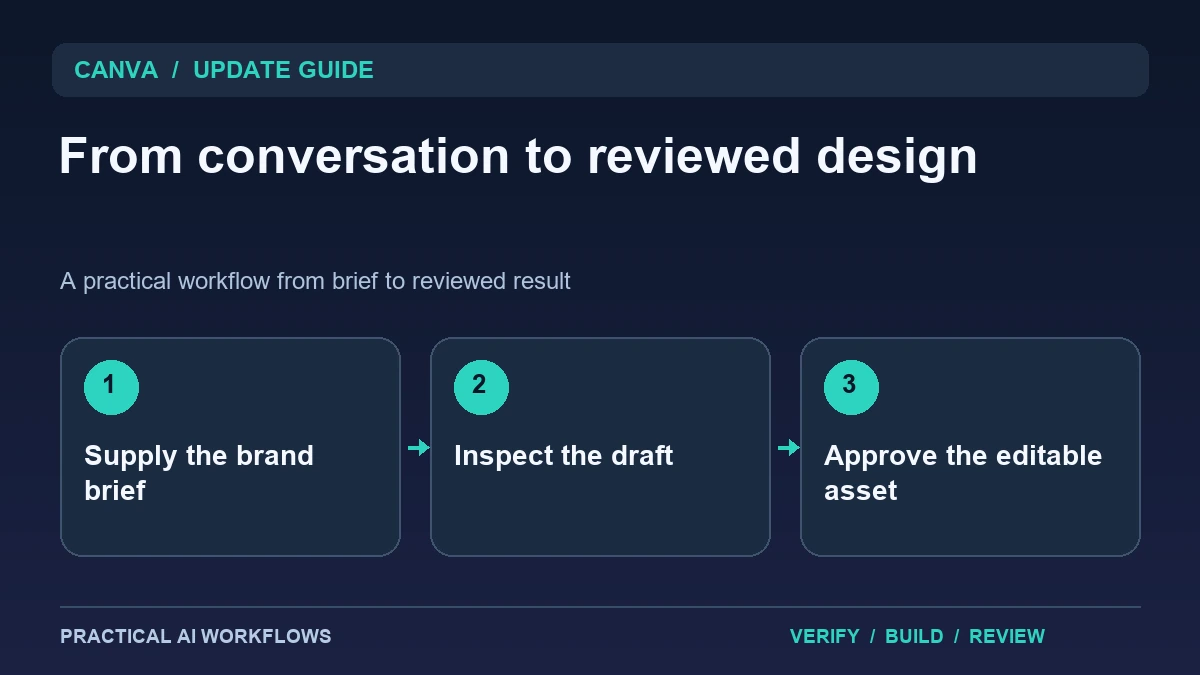
Illustration: an original editorial workflow graphic created for this article.
What the official connector announcement establishes
Canva documents a connector that lets Meta's Muse work with a connected Canva account to create design drafts. The official page describes bringing conversation and brand-aware design together. The retrieved announcement does not establish an exact publication date, so this guide treats it as a currently documented capability checked on October 5, not a claim that it launched today.
The practical benefit is starting a design where the idea is discussed and reviewing it in a familiar design environment. A connection does not replace a brand brief or establish that every generated claim is correct. Choose one small asset such as a social graphic with supplied copy. Define the audience, placement, dimensions, brand references, and reviewer before asking for a draft. This keeps the result useful and makes the handoff to an editable design easier to inspect.
Prepare an explicit brand and content brief
Supply the approved logo, colors, typography guidance, tone, and exact text that belongs in the design. Separate essential content from optional decoration. For a service announcement, the service name, offer conditions, and contact path may be essential, while background texture is a creative choice.
Use assets you are authorized to publish and explain any restrictions on cropping or alteration. If a testimonial or number is not supplied, ask for a placeholder rather than an invented detail. Describe the intended placement because a story, feed post, and presentation slide need different compositions. Keep the brief with the project so another designer can review the generated draft against the same requirements. Brand consistency is easier to evaluate when the standard is explicit instead of assumed from a general instruction to look professional.
Continue the workflow: Ideogram 4.5 Image Editing: A Controlled Workflow for Product Graphics and Banners.
Confirm the connection and create a bounded draft
Follow the product's current connection instructions and confirm the Canva account and relevant workspace. Check which assets and design destinations are available. Start with a request that creates a draft for review, rather than asking for immediate publication across several platforms.
Inspect the returned design and open it in the editing environment. Confirm that the intended text is present and that the structure can be revised. Keep a named first version before changing it. If the assistant used an unexpected image or logo, replace it with the approved asset and record the issue. A narrow first request helps reveal access, layout, and content problems before they appear in a whole campaign. The useful milestone is an understandable editable draft, not merely a convincing thumbnail in the conversation.
Review hierarchy and readability at the final size
Look at the asset at the size where the audience will see it. Can the headline be understood quickly, and is the next action visible? Check contrast, spacing, line breaks, and the relationship between the main message and supporting details. A design that looks attractive in a large editor can become difficult to read on a phone.
Check all factual copy separately from visual polish. Verify dates, service names, terms, and contact information. Avoid allowing generated artwork to imply a feature or result that the business does not offer. If the asset includes important text, retain that information in accompanying accessible copy where appropriate. Give revisions in terms of observed problems, such as an unreadable qualification or a cropped logo, rather than repeatedly asking for a better design without defining the deficiency.
A worked example: an agency's service announcement
A fictional creative agency wants a square post announcing a portfolio review service. The brief supplies a short headline, three allowed service details, brand colors, and a contact link. The connector creates a draft, and a designer checks hierarchy and the exact wording before preparing alternate placements.
Test a narrow story version separately rather than cropping the square asset automatically. Keep the same claim and visual identity while adapting spacing and composition. Ask another teammate to identify the offer and next action using only the final graphic. If they miss a qualification, improve its presentation. The example turns a conversational starting point into a reviewable asset while leaving creative judgment and publication responsibility with the team.
Continue the workflow: ChatGPT for Content Calendars: Plan Sustainable Publishing.
Resolve a draft that uses the wrong brand context
A connected assistant may produce a design that is visually polished but belongs to the wrong audience or campaign. If that happens, inspect the brief before repeatedly requesting a different style. Name the brand kit, purpose, format, audience, and approved message in plain language. Use a fictional campaign for an initial trial and compare the returned draft against a small reference set. A reviewer should be able to identify whether the mismatch concerns colors, typography, tone, layout, or factual content. Each of those problems needs a different correction.
Make the next request specific enough to evaluate. “Use the approved headline and leave more space around the product image” is easier to verify than “make it better.” After applying the correction, inspect the actual editable design and export rather than relying solely on the conversational preview. Check text wrapping at the intended display size and confirm that the selected format matches its destination. Save the final approved version with the brief that produced it. This gives future collaborators a dependable starting point and reduces the temptation to recreate a campaign from an incomplete chat history. Connected generation becomes useful when revisions converge on a reviewable design, rather than producing an endless sequence of attractive alternatives.
Keep the accepted version and campaign evidence
Save the approved editable design, exports, brief, and copy together. Use descriptive names that distinguish draft and accepted versions. Inspect the actual exported files for cropping, compression, and transparency issues. A correct editor preview does not guarantee that the file shared with a client is the intended version.
For a recurring campaign, reuse the brief structure and accepted design principles rather than copying outdated offer details. Track the number of revisions and whether the connector reduced preparation effort. If every draft needs major repair, improve the supplied context or use a simpler template-based workflow. The connection is valuable when it helps a team move from idea to useful draft with less friction. A clear brief, direct editing, and final review remain the foundation of dependable brand communication.
Frequently asked questions
Is an exact launch date confirmed here?
The retrieved official announcement does not establish an exact date. This guide labels the capability as checked on October 5, 2026 rather than claiming a same-day release.
What does the connector help with?
It connects a conversation with Canva design creation in a connected account. Review the resulting draft and current product instructions for your available workflow.
Does it replace the brand brief?
No. Supply approved assets, colors, typography, exact copy, placement, and constraints so the draft can be evaluated against a clear standard.
Should designs publish immediately?
Begin with a draft and review the copy, layout, assets, and destination. Publication should follow the team's actual approval process.
How should alternate placements be prepared?
Adapt the composition for each destination and inspect readability. Automatic cropping can remove important text or change the hierarchy of the message.
What should be archived?
Keep the approved editable design, final exports, brief, exact copy, and revision notes. This makes updates and client handoff easier to manage.
Resources and references
Official references checked on October 5, 2026. Consult the current documentation for access, setup and limitations.