
Updated October 5, 2026. A practical guide to Gemini Notebook, with examples, FAQs and official resources. Check the linked product documentation for current access, setup and limitations.
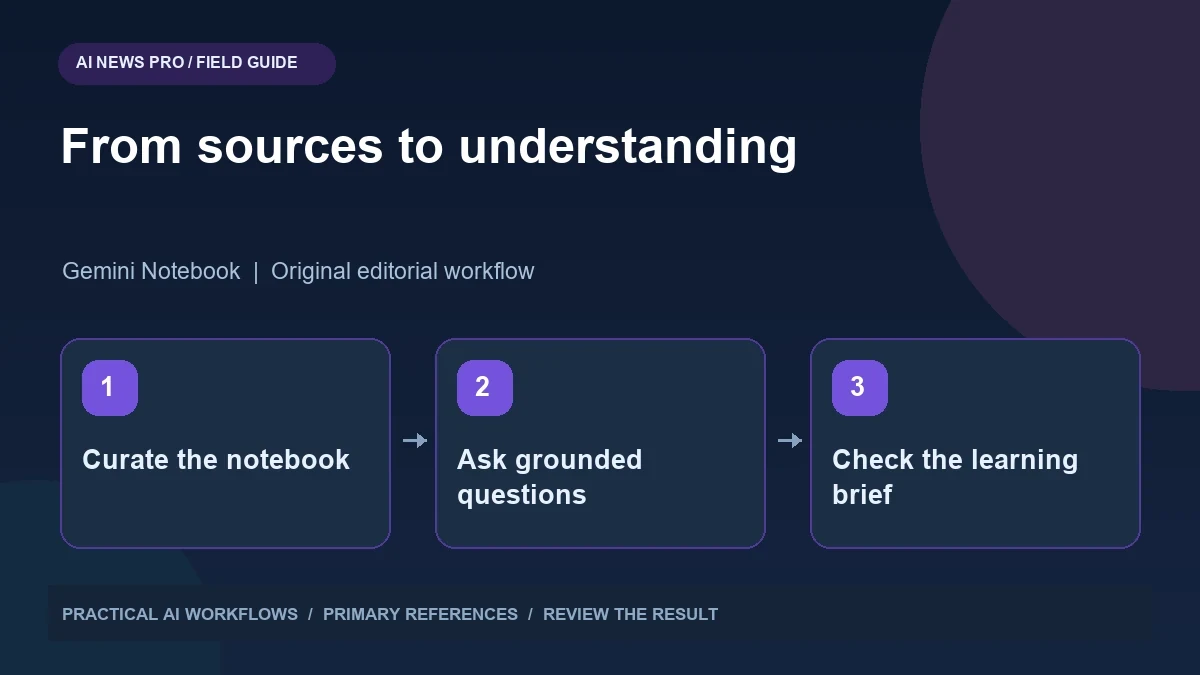
Illustration: an original editorial workflow graphic created for this article.
Focus on the research workflow behind the updates
Gemini Notebook features can help turn a source collection into research reports and learning materials. Official Google help pages explain source-grounded behavior, interactive learning reports, and notebook use within Gemini. Feature access can vary by account, device, and rollout, so consult the documentation and your actual interface before planning around a particular format. The useful starting point is a bounded question and a carefully curated set of sources. This guide explains how to verify imported material, expose gaps, test understanding, and prepare a brief another reader can use. A maintained evidence collection is more valuable than an attractive summary whose sources remain unclear.
The most useful question is how these capabilities improve a research task. Choose a topic with a bounded source collection, such as evaluating an AI tool for a team. Define the decision you need to make and the questions that matter. A notebook containing dozens of unrelated links is not automatically a better research environment. Start with the authoritative documents and a few carefully selected examples, then use the available formats to help you understand and communicate that material.
Curate sources before asking for a summary
Create a source inventory with title, publisher, date, type, and relevance. Distinguish official documentation from commentary and examples. Remove duplicates and note when two references describe different versions of a product. If a source is old, record why it remains relevant. Give files descriptive names so citations are easier to interpret.
Check what the notebook actually imported. A web page with interactive content or a restricted document may not provide the material you expected. Inspect a few passages and ask a factual question whose answer you already know. If the response cannot find the relevant information, repair the source collection before relying on larger summaries. This small calibration step reveals missing material and helps you understand the limits of the imported evidence. Good synthesis begins with a collection whose contents you can account for.
Continue the workflow: NotebookLM for Research: Organize Sources and Verify Answers.
Ask questions that expose uncertainty
Start with a source map: what does each document contribute, which claims agree, and where do they conflict? Then ask focused questions tied to your decision. For a tool evaluation, request the documented setup requirements, supported workflow, known limitations, and questions that remain unanswered. Require citations near factual statements.
Ask the system to say when the collection lacks evidence. A source-grounded answer can still be incomplete if the right reference is missing. When two documents disagree, compare their dates and scope instead of asking for an artificial compromise. Keep a research note that separates supported facts from your interpretation. This allows you to use the notebook as a reasoning aid without treating every smooth paragraph as equally established. It also makes follow-up research more efficient because you know which gap needs another source.
Use interactive learning to test understanding
An interactive report can help turn passive reading into a more active exercise. Where the feature is available, generate a learning overview around the key concepts and inspect its examples. Check that embedded activities reflect the source material and do not introduce unsupported assumptions. A polished activity is still something to review.
Create your own short understanding test as well. Ask yourself to explain the concept without looking, identify a common failure, and apply it to a new example. For a model evaluation topic, explain why a benchmark score does not establish performance on your documents. Then design a small test using your own inputs. This shifts the goal from consuming a summary to acquiring a usable mental model. The report is successful when it helps you reason correctly about a fresh case, not merely when it looks engaging.
Prepare a brief for the next reader
Convert the research into a concise brief with the decision, key evidence, options, limitations, and recommended next step. Preserve source links so another person can inspect important claims. Use a comparison table only when the dimensions genuinely match. Mark unavailable information rather than filling a blank with a plausible guess.
If you generate an audio or video overview, review the narration, labels, and emphasis against the written brief. Media formats can simplify material in ways that hide uncertainty. Keep a written reference alongside the overview so readers can recover the detail. When moving material into Gemini, understand that its broader tools and context can change the behavior compared with a notebook response constrained to the source collection. State which environment produced the final output and verify citations after the transfer.
Continue the workflow: Gemini Skills: Reusable Instructions, Stacking, and the Gems Transition.
A worked example to try
A fictional procurement notebook can contain the official setup guides for three research tools and a short list of team requirements. Ask which requirements each guide establishes, with citations. Then create a learning brief explaining the difference between source-grounded responses and broader assistant behavior. Include an example where the sources do not answer a question.
Have a colleague use the brief to evaluate a fourth tool. If they cannot identify the missing evidence, improve the explanation. Refresh the notebook when a setup guide changes and record whether the recommendation changes too. This example tests both factual synthesis and learning value. A notebook becomes useful when another reader can apply the framework, not simply repeat the generated summary.
Maintain the notebook as the topic changes
Set a review date and identify the sources most likely to change. Product documentation, access rules, and model lists may need refreshing sooner than a conceptual paper. Keep a change note when you replace a source or revise a conclusion. If a new reference reverses an earlier recommendation, explain the evidence rather than silently rewriting history.
Archive the final brief and the source inventory used to produce it. This lets you answer why a decision was made at a particular time. Remove outdated or irrelevant material from the active collection when it creates confusion. Recent notebook updates can make research more interactive and convenient, but the enduring workflow is editorial: curate evidence, ask precise questions, verify important statements, and produce a brief another person can use. A maintained source collection becomes more valuable than a one-time generated summary.
Frequently asked questions
Are all notebook features available on every device?
No. Consult the official help pages and your account interface. Availability, supported formats, and interactive features can differ by device or rollout.
What is the best first step?
Curate a small source collection and verify that the intended material imported correctly. Test a known factual question before requesting a broad synthesis.
Do citations guarantee the answer is complete?
No. Citations show supporting material, but missing sources can leave important gaps. Ask explicitly what the collection does not establish.
How should I handle conflicting sources?
Compare publication dates, product versions, and scope. Preserve the disagreement when it remains unresolved instead of forcing a single confident conclusion.
Should a video overview replace the written brief?
Keep a written reference with sources and limitations. Review generated media for simplification or emphasis that could misrepresent the underlying evidence.
How often should the notebook be updated?
Choose a schedule based on the topic's volatility. Refresh changing product details promptly and keep a dated record of source replacements and revised conclusions.
Resources and references
Use these links to verify capabilities, access and setup. Product documentation can change after this editorial check.