Updated October 5, 2026. A practical guide to OpenAI DevDay, with examples, FAQs and official resources. Check the linked product documentation for current access, setup and limitations.
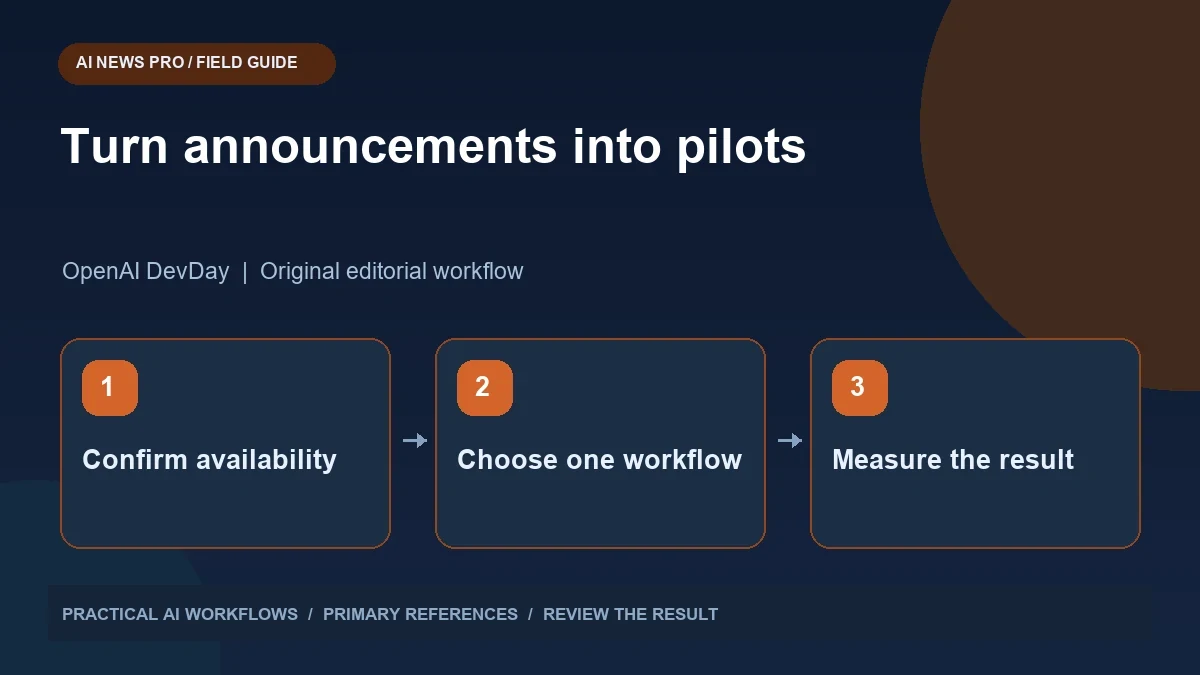
Illustration: an original editorial workflow graphic created for this article.
Use the official announcement as the baseline
OpenAI's official DevDay 2026 overview is dated September 29, 2026 and covers Dots, shared workspaces, Codex, and model-related developments. Individual capabilities may have previews, account requirements, or gradual rollouts, so the event date does not establish universal availability. Use the official naming, including GPT-6.1 Sol, and verify current access in the relevant documentation. This guide turns announcements into a practical adoption process: identify one useful job, confirm prerequisites, run a controlled pilot, and inspect the result. A small evidence-backed evaluation is easier to maintain and more informative than reorganizing all work around a launch recap.
Build an evaluation list from the primary announcement and separate available capabilities from previews and gradual rollouts. Check the account, region, and administrator settings relevant to your organization. Avoid planning a workflow around a feature you cannot yet access. Announcements are useful for identifying opportunities; documentation and a controlled trial establish what you can actually use and whether it improves your work.
Evaluate Dots with a bounded task
If your account has Dots access, choose a task with a visible output and a clear review point. A public research comparison is a sensible starting example. Supply the sources or search scope, expected fields, deadline, and limits on external actions. Ask for the evidence behind the result and inspect it directly.
Understand the execution environment before assigning work. A cloud-hosted computer and a task using your own device have different access and continuity assumptions. Consult the Dots documentation rather than assuming a task can reach every local file or keep using your machine when it is offline. Start with non-sensitive material and record interruptions, missing inputs, and recovery behavior. The objective of the pilot is not to recreate a dramatic demo; it is to establish a dependable workflow for one job you routinely need done.
Continue the workflow: Five Practical GPT-6 Astra Workflows: Research, Memory, Websites, SEO and Ideas.
Organize a shared workspace around real decisions
A shared space becomes useful when people can find the current brief, source material, working output, and final decision. Choose a small project and define where each item belongs. Give files descriptive names and distinguish active work from completed reference material. Avoid moving every existing document into a new workspace before its structure has proved useful.
Test the handoff with someone who did not create the project. Can they identify the latest version and understand what remains unresolved? Add a short status note that explains the goal, owner, next action, and evidence behind important decisions. Review access settings using the product's current documentation and your organization's policies. Collaboration features reduce friction only when the content itself is organized. A shared folder full of ambiguous drafts can remain confusing regardless of how capable the assistant is.
Try Codex on a reviewable maintenance task
Choose a concrete engineering job such as fixing a reproducible bug or updating a small dependency with known behavior. Provide the repository context, trigger, expected result, and relevant checks. Ask for a proposed implementation that fits the existing project and keeps unrelated changes out of the diff.
Inspect the final change and run the appropriate verification. For a bug, confirm the original trigger now behaves correctly and that the ordinary workflow still works. For a dependency update, check compatibility with the code paths you actually use. Record the completion evidence and any limits in a short review note. Reusable or cloud-based execution can reduce repeated setup, but it does not remove the need to understand what changed. Begin with a task small enough that a developer can review the result confidently.
Compare models using your own examples
If a new model becomes available in your environment, test it with a few representative tasks rather than relying on a launch comparison alone. Use the same input and evaluation criteria. Include correctness, clarity, unsupported claims, latency, and the effort needed to repair the result. For coding, evaluate the final working change rather than only the generated explanation.
Keep account limits and execution modes in the comparison record. A faster mode or plan-specific allowance is not necessarily available to every user. Avoid generalizing a performance claim to all prompts or workloads. Choose the model that meets the task's needs at an acceptable operational cost. Many teams benefit more from a clear brief and better review process than from switching every workflow to the newest model immediately.
Continue the workflow: Grok Bot vs Dots vs Hermes Agent: Compare the Workflow You Actually Need.
A worked example to try
A fictional team might choose one DevDay pilot: use an available agent workflow to prepare a weekly technical brief. Define ten candidate updates, a requirement for primary references, and a maximum final brief length. Assign a reviewer and compare the pilot with the team's normal process over two cycles.
Measure collection effort, factual corrections, missed updates, and usefulness to readers. If the new workflow saves gathering time but increases verification effort, record that tradeoff rather than declaring success from speed alone. Keep the pilot small enough to stop without disrupting normal work. This turns an event recap into a concrete adoption decision and helps the team avoid reorganizing around capabilities whose access or value has not yet been established.
Turn the recap into a small adoption plan
Create a short table of candidates with the feature, proposed use, prerequisite, pilot owner, success measure, and review date. Select one or two pilots and leave the rest in a backlog. A research task might be successful if it produces a correct source-backed brief with less manual collection. A coding pilot might be successful if the final diff is small, the bug is fixed, and review effort is reasonable.
Document unsuccessful trials as well as successful ones. A missing integration or confusing handoff is useful evidence about readiness. Do not buy or reorganize around a feature merely because it appeared in an event recap. The practical value of DevDay is a set of possibilities to evaluate against real needs. Confirm access, test one workflow, inspect the output, and expand only when the result justifies the additional change.
Frequently asked questions
When was DevDay 2026 announced?
The official DevDay overview is dated September 29, 2026. Individual feature access may follow a separate rollout schedule.
Is the model name Sol or Soul?
Use the official naming: GPT-6.1 Sol. Verify product names against primary documentation before using them in project plans.
Does every account receive every announced feature?
No. Features can have eligibility rules, regional limits, administrator controls, previews, or gradual rollouts. Confirm availability before building an adoption plan.
What is a good first Dots task?
Choose a bounded research or draft workflow with inspectable evidence and no unnecessary external writes. Define the expected result and review point clearly.
Should a team migrate all work immediately?
Start with a small pilot. Test access, handoff, reliability, and actual benefits before reorganizing established processes or expanding the deployment.
How should new models be compared?
Use matched examples from your own work and explicit criteria. Evaluate correctness and repair effort alongside speed, rather than relying on a universal ranking.
Resources and references
Use these links to verify capabilities, access and setup. Product documentation can change after this editorial check.