
Updated October 5, 2026. A practical guide to Gemini, with examples, FAQs and official resources. Check the linked product documentation for current access, setup and limitations.
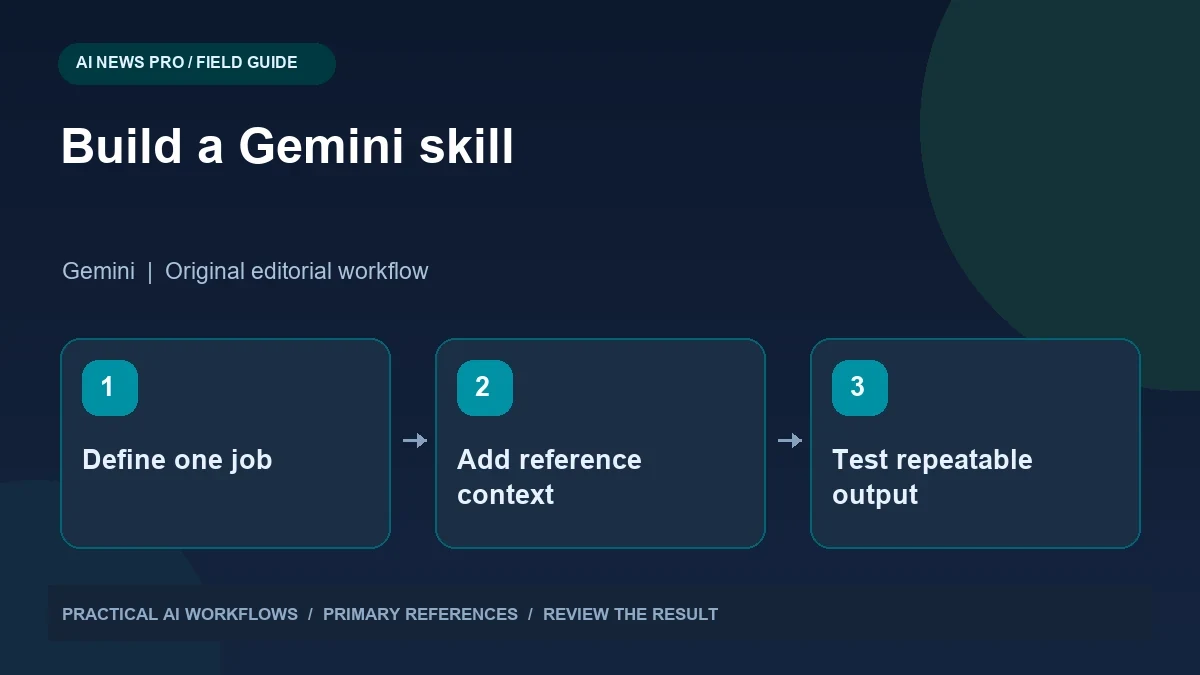
Illustration: an original editorial workflow graphic created for this article.
What is changing in Gemini
Gemini Skills are reusable instructions you can apply across conversations. Google's current help documentation describes manual invocation and automatic use when a skill is relevant, as well as combining skills. The practical benefit is saving a repeatable workflow once instead of repeatedly pasting a long prompt into chat. A useful skill captures stable requirements such as output format, source standards, and audience, while the current request supplies changing facts. This guide explains how to design that division, test the instructions, and manage the transition from Gems. Start with one recurring job and verify that its saved instructions produce a consistent, reviewable result.
Google says availability is rolling out gradually, beginning with eligible personal accounts for adults. The Gems transition is also account-specific: personal accounts move in November 2026, Workspace business, enterprise, and nonprofit accounts in March 2027, and education accounts in June 2027. These are migration windows, not a reason to assume your current tools have already disappeared.
The practical benefit is consistency. A useful skill records how to do one recurring job, what information is required, and what a finished result looks like. It should reduce correction work, not simply make every response longer.
Choose one job with clear inputs and outputs
Start with a task you already repeat. A content manager might turn an approved product brief into a listing-image plan. A student might turn a chapter into practice questions. A sales team might prepare a meeting brief from a verified customer record. Avoid a first skill that promises to manage everything you do.
For a listing-image plan, name the required inputs: product facts, target audience, supported claims, dimensions, brand colors, and the number of images. Specify the output as a table with image purpose, headline, supporting copy, visual direction, and source evidence. Define what happens when a fact is missing. The skill should flag the gap rather than invent a benefit or dimension. This structure makes the instruction reusable across different products while keeping the facts specific to each brief.
Continue the workflow: Gemini Gems and Skills: Design Reusable Instructions.
Write instructions a teammate could follow
Use simple directions in a deliberate order. Explain the job, inspect the supplied material, identify missing information, create the output, and check it against acceptance criteria. Include one strong example if the desired result is otherwise difficult to describe. A large collection of disconnected preferences is harder to apply consistently.
For a writing skill, define your audience and tone through examples. Instead of asking for professional language, show a short paragraph that uses direct sentences and concrete details. Specify whether the output should include headings, tables, or action items. For a research skill, require source URLs and distinguish confirmed facts from assumptions. Keep instructions about process separate from facts that change frequently. A reusable workflow can remain stable while you update the product brief, date range, or reference documents each time.
Stack skills without creating contradictions
Separate reusable concerns when they serve different purposes. You might have one skill for brand voice, another for the article structure, and another for checking supported claims. Test each alone before combining them. If one demands a short answer and another requires a comprehensive report, define which instruction controls that particular task.
An effective stack should have a visible order of responsibility. The structure skill decides the sections. The voice skill shapes wording. The evidence skill checks statements. Avoid multiple skills that each rewrite the entire output independently. When the combined result fails, reduce the stack and identify the conflicting instruction. A practical troubleshooting technique is to ask the assistant to summarize the applicable requirements before drafting. This exposes disagreements early, while the output is still inexpensive to revise.
Plan the migration with a small test set
Before changing a working Gem, preserve its instructions and note any reference material it uses. Build three representative test tasks: an ordinary case, a case with incomplete information, and a case with an unusual constraint. Run the same tasks through the new skill and compare results using the same acceptance criteria.
Pay special attention to tools and knowledge attachments. Google's transition guidance notes that some features available in Gems do not yet work with skills. Do not assume that a research or creative workflow behaves identically just because the instructions were recreated. Check the current official help for supported files and feature combinations. Maintain a small migration log with the old workflow, the new workflow, known differences, and the person who verified the change. This is more useful than a single successful demonstration.
Continue the workflow: Gemini Notebook Updates: Turn a Source Collection into a Useful Learning Brief.
A worked example to try
Imagine a small editorial team that repeatedly creates product comparison briefs. Its skill could specify the audience, required comparison dimensions, primary-source preference, and a rule that missing information stays marked unknown. Keep the actual product details in the current request rather than embedding a changing model list in the reusable instructions.
Try the skill on a fictional comparison where one source omits export limits. A satisfactory result leaves that field unresolved and asks for the missing reference. Then combine it with a separate plain-language editing skill and inspect whether the source requirements survive. If the two instruction sets conflict, revise their scope. The exercise tells you whether the saved instructions improve consistency without turning old facts or formatting preferences into unquestioned current evidence.
Measure whether the skill is actually useful
Track the number of corrections needed across several real tasks. If a skill saves a prompt but adds three rounds of cleanup, revise it. Record the most common failure, identify the missing instruction or example, and make one change at a time. Retest the same sample tasks so you can tell whether the change improved behavior.
For a team, assign an owner to each important skill. Keep a version note explaining what changed and why. Update facts such as brand terminology in the reference material rather than scattering them through multiple prompts. A good skill library is small enough that people know which workflow to use. Begin with one repeatable job, prove that it produces useful results, and add more skills only when a new task requires a different process. Reliability comes from clear boundaries and careful testing.
Frequently asked questions
Are skills already available in every Gemini account?
No. Google describes a gradual rollout. Account type, age eligibility, and supported app can affect availability, so check the official instructions and your current interface.
Will personal Gems disappear immediately?
Google's current transition guidance gives November 2026 for personal accounts. Work and education accounts have different 2027 windows, so use the schedule for your account type.
Should one skill contain every preference?
Usually not. Build around a specific repeatable task and separate broadly reusable concerns such as brand voice or evidence checking when that makes the workflow clearer.
Can several skills be combined?
Google documents stacking. Test skills individually first, then define how their responsibilities interact so conflicting length, tone, or output requirements do not create inconsistent results.
What if the output invents missing product facts?
Add an explicit missing-information rule and test incomplete briefs. Require unsupported benefits, dimensions, and claims to be flagged for review instead of filled with guesses.
What is the safest migration check?
Compare representative tasks before and after migration, including incomplete inputs and unusual constraints. Verify attachments and tools separately rather than assuming identical behavior.
Resources and references
Use these links to verify capabilities, access and setup. Product documentation can change after this editorial check.