Updated October 5, 2026. A practical guide to Claude, with examples, FAQs and official resources. Check the linked product documentation for current access, setup and limitations.
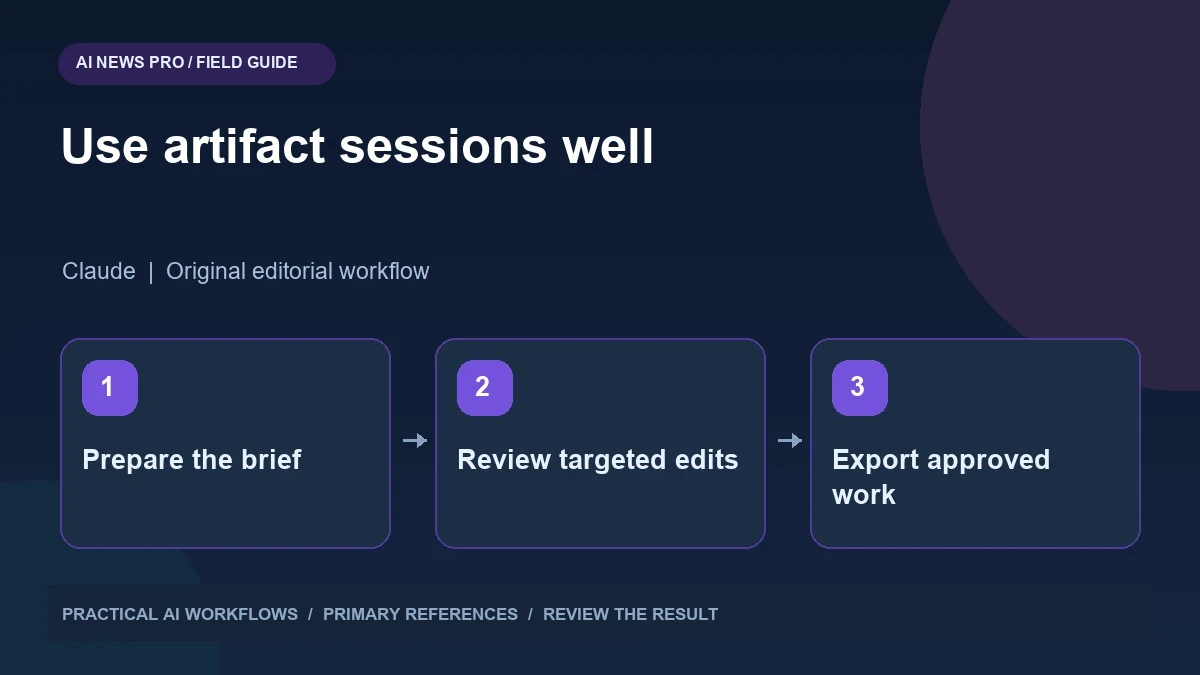
Illustration: an original editorial workflow graphic created for this article.
Understand the promotion before planning work
Claude's artifact usage promotion runs from October 1 through October 15, 2026 for Pro, Max, and Team plans. The official help page says eligible work uses less of the five-hour session limit after an artifact is created or edited. In chat, this applies to the next ten messages, with a per-reply step limit. Claude Code and usage credits are excluded.
The offer is relevant to document, design, and presentation workflows. The useful interpretation is narrower than unlimited work or a blanket doubling of every allowance. Eligibility, the work surface, and the point where the discount begins matter. Consult the official terms for exact timing and Cowork behavior.
You can use the period to improve an existing deliverable without changing your entire process. Prepare a brief, work through focused revisions, and evaluate the quality of the exported result.
Prepare the source material before opening the task
A document task becomes inefficient when the assistant has to discover the subject, infer the audience, and decide the format simultaneously. Prepare a compact source pack with verified facts, required sections, reference examples, and the intended reader. State whether the deliverable is a proposal, an internal plan, a client report, or a public article.
For a presentation, include the decision you want the audience to make. A deck for choosing a software vendor needs comparison criteria and evidence, while a training deck needs a sequence of concepts and exercises. For a design task, specify the target page, device sizes, brand rules, and approved wording. Separate required content from optional suggestions. This prevents an attractive draft from drifting away from the actual job and reduces the number of revisions spent recovering omitted information.
Continue the workflow: Claude Artifacts: Build and Review Useful Deliverables.
Use revision rounds with one clear purpose
Review the first artifact for structure before polishing sentences or colors. Does the proposal cover scope, deliverables, timeline, and assumptions? Does the deck build toward the intended decision? Does the design guide users through the primary action? Fix missing sections and incorrect relationships first.
Use a second round for factual accuracy. Compare statements with the supplied source pack, check dates and quantities, and remove invented results or customer quotes. Use a third round for presentation: headings, spacing, readability, and consistent terminology. Combining every kind of feedback in one long message can produce a revision that improves one detail while breaking another. Focused rounds make it easier to see what changed. Refer to the exact section or element and explain the intended outcome, rather than using broad requests such as make it better.
A practical client-report example
Suppose you manage a creative project and need a weekly status report. Provide the real task list with owner, status, due date, blocker, and next action. Ask for a concise document that highlights delivery risk and decisions required from the client. Have the assistant distinguish completed work from work awaiting approval.
During review, check whether a task described as complete has actually passed quality review. Confirm that the report does not imply a client approved a design merely because the file was sent. Then refine the wording of blockers so each has a specific action and owner. Finally, inspect the document's layout and exported file. The value is not the number of versions produced; it is that the final report gives the reader an accurate understanding of progress and makes the next decision easy.
Keep design and content evaluations separate
An attractive landing-page draft can still contain unsupported testimonials, broken links, or a form that does nothing. Review the words against approved business information, then test interactions separately. Verify buttons, navigation, mobile layout, keyboard focus, and the destination of form submissions. A design preview is not proof that a production workflow functions.
For slides, inspect charts and labels at the size the audience will see. For documents, inspect page breaks, tables, and references after export. Ask for a targeted correction when an element fails. Save the approved version before experimenting with another direction. If you compare alternatives, use the same brief and review criteria so the comparison measures the output instead of differences in your instructions. This habit remains useful after the promotional period ends.
Continue the workflow: Build a Website with Claude: A Beginner’s Workflow.
A worked example to try
Suppose you need a presentation explaining three possible research workflows. First approve the audience, outline, and factual references. Create a small artifact draft, then review the hierarchy and examples before asking for substantial visual refinement. Keep a note of which conversation and environment you used if you want to understand the promotion's effect on your session allowance.
Do not turn the limited-time offer into a reason to generate material you cannot review. A short, accurate deck with a clear decision is more useful than many polished variants. Inspect the usage display and official eligibility terms rather than estimating allowance from the number of messages alone. After the promotion ends, retain the same brief-and-review process; the temporary accounting change should not determine whether the document is worth producing.
Decide what to keep after the offer ends
Record which workflow actually reduced your work. You might discover that a structured source pack and three focused review rounds improve results more than a larger usage allowance. Keep those instructions as a reusable checklist. Store the approved deliverable alongside its source pack and note which parts require updating next time.
Do not schedule important deadlines around an assumption that a temporary promotion will continue. Check your normal plan limits and leave room for review and export. Track the final result, correction time, and any unresolved issue. If an artifact cannot meet the required format or fidelity, finish the specific remaining step in the appropriate editor. The promotion is an opportunity to experiment with a better drafting process, while the standard of completion remains the same: accurate content, a usable file, and a result the intended audience can understand.
Frequently asked questions
Does the promotion cover Claude Code?
No. The official terms exclude Claude Code. It applies to eligible artifact work in Claude and Cowork, so do not assume coding sessions receive the same treatment.
Is every plan included?
No. The listed eligible plans are Pro, Max, and Team. Free and Enterprise plans are excluded from this temporary promotion.
Does this mean unlimited artifact creation?
No. It changes how qualifying work counts toward a session limit. Existing limits, eligibility rules, and the promotion's time window still matter.
What should my first revision focus on?
Check structure and missing content first. Then verify facts, and finally polish presentation. This reduces the chance of spending effort on a section that must be rebuilt.
Should I trust a polished design preview?
Inspect its content and test its interactions. A convincing preview can contain invented testimonials, incorrect claims, broken links, or forms that are not connected to anything.
What is worth preserving after October 15?
Keep the source-pack format, acceptance criteria, and review checklist that improved results. Those habits remain useful independently of a temporary usage promotion.
Resources and references
Use these links to verify capabilities, access and setup. Product documentation can change after this editorial check.