Updated October 5, 2026. A practical guide to Grok Build, with examples, FAQs and official resources. Check the linked product documentation for current access, setup and limitations.
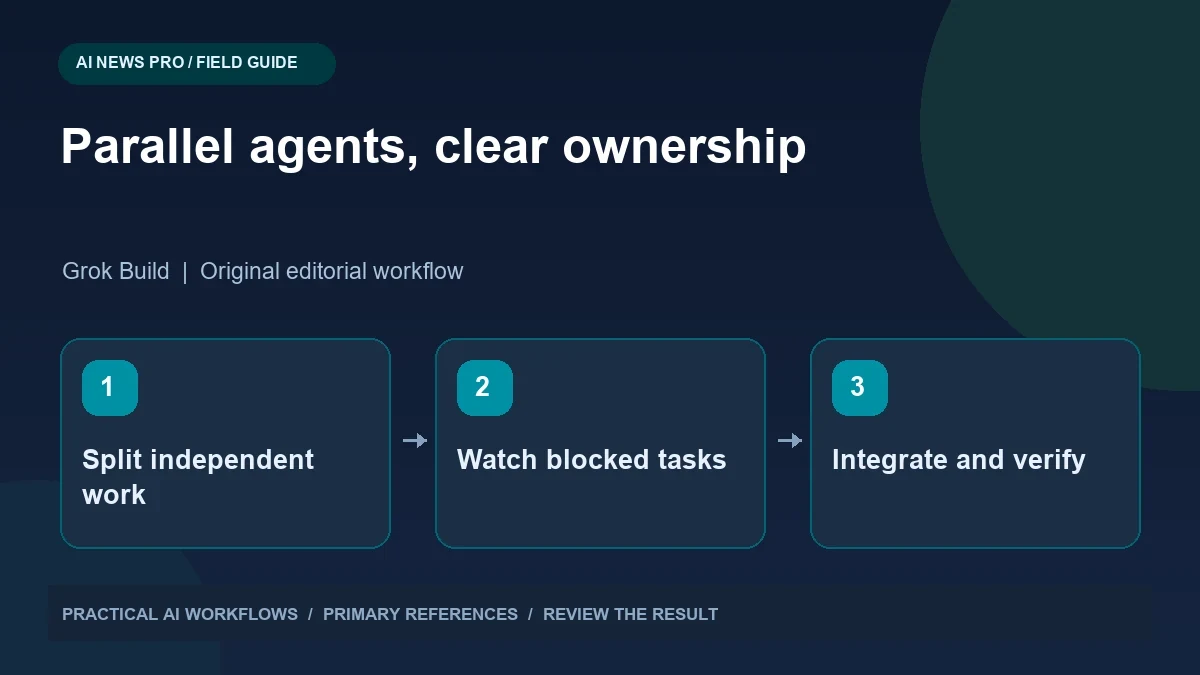
Illustration: an original editorial workflow graphic created for this article.
Understand the dashboard and its release date
xAI's official Agent Dashboard announcement is dated June 15, 2026. It describes an interface for monitoring agent sessions, making it useful to distinguish the original release date from later demonstrations. The practical challenge is coordinating parallel work with clear ownership and visible dependencies. A dashboard can show activity, but it does not make overlapping tasks independent or prevent two workers from changing the same file. This guide explains how to split work into concrete deliverables, monitor blocked tasks, and integrate results deliberately. Begin with a small set of genuinely separate jobs and evaluate the final review effort as well as elapsed time.
The practical challenge is coordination. Parallel agents can make progress on independent tasks, but they can also overwrite files, duplicate research, or block one another. A dashboard helps you see activity; it does not automatically make the work independent. Plan the split before launching sessions. Identify which tasks can proceed without another result and which must wait. The most useful parallel workflow has clear ownership, a shared brief, and one deliberate integration stage where the combined result is reviewed.
Split by deliverable, not by vague role
Give each agent a concrete output. In a website project, one task might audit broken internal links, another review article metadata, and a third inspect image dimensions. These are easier to separate than asking three agents to improve the website generally. State the files or data each task may change and the format of its report.
Reserve shared files for one owner. If several tasks need a navigation change, have them propose edits and let the integration owner apply the final version. For coding work, isolated branches or worktrees can reduce collisions, but they do not remove semantic conflicts. Two individually valid changes can still disagree about an interface. Define the shared contract in advance: route names, expected fields, naming conventions, and behavior. A short agreed specification prevents much of the confusion that otherwise appears during the final merge.
Continue the workflow: How to Build a Multi-Agent System with LangGraph and AutoGen in 2026.
Write briefs that survive separation
Each task brief should include the goal, relevant context, allowed scope, acceptance criteria, and handoff format. Do not assume every session has the same conversation history. Include the key project decision directly or point to a checked-in reference that the agent can read. Tell it what to do when information is missing and which decisions belong to the integration owner.
For a link audit, specify whether the task is read-only, which pages count, and whether redirects are acceptable. For an image audit, specify the expected format and dimensions. Ask the agent to report evidence, such as the source page and failing target, rather than merely saying it found errors. Clear handoffs reduce follow-up questions and make results usable even if a session ends or needs to be restarted. They also prevent a small task from expanding into unrelated edits.
Use the dashboard to resolve dependencies
Monitor blocked sessions and requests for input before simply starting more workers. A blocked agent may need a missing file, a credential it should not invent, or a decision another task must supply. Inspect the reason and resolve the dependency deliberately. If the task was split incorrectly, revise the scope instead of encouraging repeated attempts.
Watch for duplicate work. Two agents researching the same source may produce slightly different notes that take more time to reconcile than a single shared research pass. Maintain a lightweight task list with owner, status, output location, and next dependency. The dashboard shows execution; the task list explains purpose. When an agent finishes, check whether its output meets the agreed handoff format before assigning another task. Fast turnover is useful only when completed work is actually ready for integration.
Integrate in a controlled sequence
Collect reports first and review the proposed changes. Apply non-conflicting changes in a sensible order, then inspect shared interfaces and the final diff. Run the checks appropriate to the combined result. Individual tests may pass while the integrated project fails because a route, schema, or dependency changed elsewhere.
For content work, check duplicated topics, inconsistent terminology, conflicting dates, and links to pages that were never created. For code, examine overlapping edits and assumptions about data shape. Keep a record of which task produced each meaningful change. If integration exposes a defect, send a specific correction request with the observed failure rather than asking every agent to rework its output. This keeps repair scope small and preserves the value of the work already completed.
Continue the workflow: Grok with Hermes Agent: Model Switching, Memory, and a Practical Evaluation.
A worked example to try
For a fictional blog maintenance pass, give one agent a read-only link audit and another a read-only image audit. Each returns a report with the page, observed issue, and proposed fix. The integration owner reviews both reports and applies the repairs, keeping shared templates under one person's control.
If the image audit discovers a broken path that also appears in the link report, combine the finding rather than treating it as two separate tasks. After repairs, rerun the affected checks and inspect a sample page. This arrangement gains concurrency during independent inspection while preserving a coherent final change. Compare its total time with a single audit process before assuming more sessions would help. The best split is the one that reduces waiting without creating unnecessary reconciliation work.
Measure the benefit of parallel execution
Compare elapsed time, review effort, conflicts, and rework against a simpler sequential run. Parallelism is most useful when tasks are genuinely independent and each produces a clear artifact. It can be counterproductive when the project is small or when everyone needs the same changing context.
Start with two or three separated tasks rather than the maximum number of sessions. Increase concurrency only if the integration step remains manageable. Keep the briefs and ownership rules as reusable templates, but adapt them to each project. The real gain comes from reducing waiting while preserving coherence. Recent demonstrations make multi-agent work look fast; a dependable implementation also makes its dependencies, evidence, and final responsibility visible. One person or integration process must still decide whether the combined result satisfies the original goal.
Frequently asked questions
Did the dashboard launch in the past five days?
The official xAI announcement is dated June 15, 2026. Check the current documentation for availability and behavior in your environment.
Does a dashboard prevent file collisions?
No. Establish ownership and isolate edits where appropriate. The dashboard helps monitor sessions, while task design determines whether their work conflicts.
What tasks should run in parallel?
Choose independent deliverables with clear outputs, such as separate audits. Keep tasks sequential when one requires another's result or changes the same interface.
What belongs in an agent brief?
Include the goal, context, scope, acceptance criteria, dependencies, output location, and handoff format. Do not rely on unstated conversation history.
Who should modify shared files?
Assign one owner or integration process. Other agents can propose changes, but uncontrolled simultaneous edits make review and conflict resolution harder.
How do I measure whether parallelism helps?
Track total completion time alongside review effort, conflicts, and rework. Faster individual tasks are not a win if integration takes longer or produces inconsistent behavior.
Resources and references
Use these links to verify capabilities, access and setup. Product documentation can change after this editorial check.