
Editorial check: October 5, 2026. Official release: September 15, 2026.
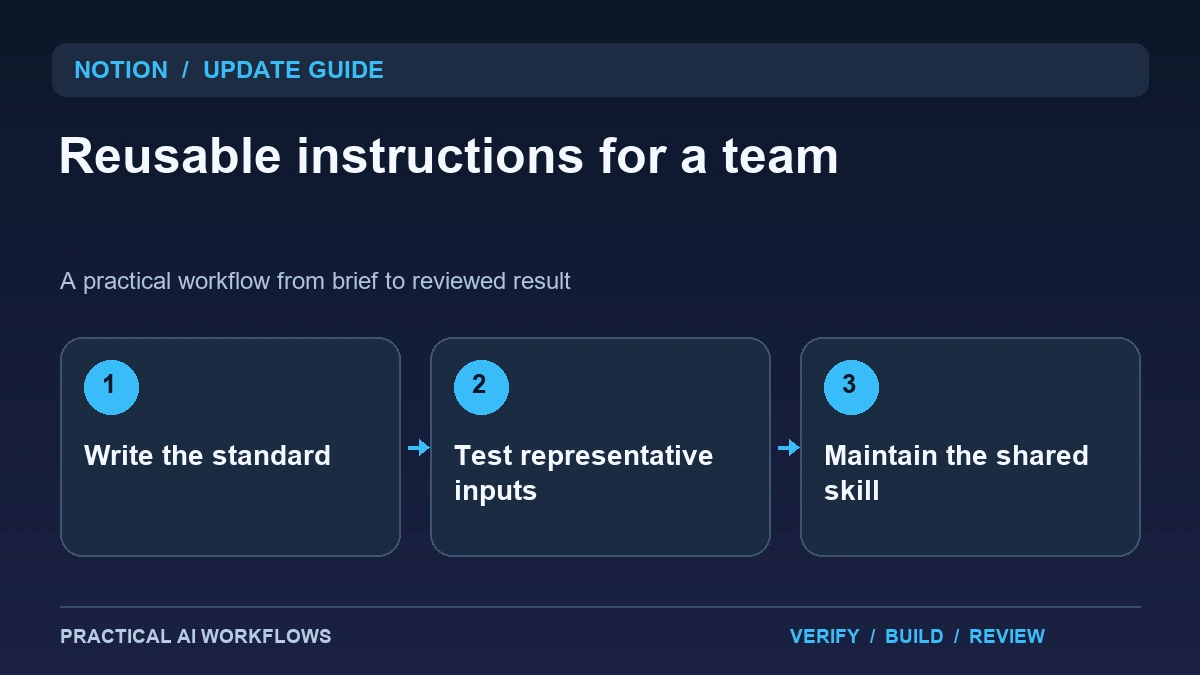
Illustration: an original editorial workflow graphic created for this article.
What Notion 3.7 introduces
Notion's September 15 release notes introduce team-oriented Agent skills: reusable instructions collected and shared through a skills library. The announcement describes invoking skills in Agent chat and using them for recurring work. This provides a way to preserve a team's preferred process, but a saved instruction is useful only when its purpose and limits are clear.
Choose a repeated job that already has a recognizable standard. A weekly project brief, a document critique, or an onboarding checklist makes a better first skill than a broad instruction to make everything excellent. Identify the input, desired output, source material, and reviewer. This guide explains how to write a skill that captures stable decisions while leaving changing facts in the current request, then test and maintain it as part of ordinary team work.
Capture the standard without embedding stale facts
Write the stable requirements first: audience, required sections, terminology, source expectations, and how to handle missing information. Keep current project deadlines, client details, and temporary exceptions outside the reusable instructions. Otherwise an old fact may be applied confidently to a new request.
For a weekly delivery brief, the skill might require completed work, upcoming commitments, blocked items, and decisions needed. It should instruct the agent to mark an unknown owner instead of inventing one. Include an example of the expected style, but label it as an example rather than current project data. A concise contract is easier to inspect than a long collection of unrelated preferences. Ask another teammate to explain what the skill does using only its instructions before publishing it.
Continue the workflow: ChatGPT for SOPs: Create Procedures Your Team Can Follow.
Test the skill with imperfect inputs
Use a few representative notes: one complete update, one missing a deadline, one with contradictory ownership, and one containing an unapproved commitment. Write the expected handling for each. Run the skill and inspect whether it preserves meaning, exposes gaps, and separates facts from suggestions.
Do not judge only the most polished output. A useful skill should remain understandable when the source notes are messy. Check that it does not turn 'we may finish Friday' into 'delivery is Friday.' Review names, dates, and status carefully. Record the instruction change that fixed an error and rerun the relevant examples. Keep at least one separate example for the final check so the skill is not tuned only to a few familiar notes.
Organize a shared library around jobs
Give each skill a descriptive name, purpose, owner, input requirements, and review date. Group related skills by the work they support rather than by the person who wrote the original prompt. A teammate looking for a project handoff should not need to remember whose chat contained the best instructions.
Make it clear which version is current. Archive replaced instructions or mark them as historical so people do not reuse an outdated process accidentally. Keep access aligned with the source material the skill requires. A general formatting skill may be broadly shareable, while instructions tied to private project context need a more limited audience. The library succeeds when people can find the right process quickly and understand what information they need to supply.
A worked example: a creative team's weekly brief
A fictional design team collects short updates from several projects. The shared skill turns those notes into a brief containing completed deliverables, next actions, blocked inputs, and questions for the project manager. Each item retains its project identifier and source date.
Include one note that says assets are expected soon and another that proposes an extra revision. The skill should mark the asset timing as unresolved and the revision as a proposal, rather than turning either into a commitment. The project manager reviews the final brief before sharing it. Save the corrected example in the library as a training reference for teammates. This workflow reduces repeated formatting effort while preserving the distinctions that matter for delivery decisions.
Continue the workflow: Gemini Skills: Reusable Instructions, Stacking, and the Gems Transition.
Repair a skill that produces confident but incomplete work
A reusable skill can fail because the instruction assumes a piece of context that another teammate does not possess. For example, “prepare the weekly update” may make sense to its author but leave a new colleague guessing which database, reporting period, and audience to use. Test the skill from a fresh task with fictional records. Note every point where the operator has to infer an input. Replace those assumptions with a named input, a clarification question, or an explicit limit on what the skill should produce.
When improving the skill, change one important behavior at a time. Save a small before-and-after example showing the missing information and the corrected result. Ask a teammate to run the revised version without an explanation from its author. If they still need help, the reusable instruction needs another revision. Keep the review focused on observable outcomes such as correct dates, included evidence, and unresolved items clearly marked. A long instruction is not automatically a better instruction. The goal is a repeatable task that another person can understand, complete, and review. A concise change history also helps explain why a rule exists when the team's reporting process changes later.
Maintain the skill as the process evolves
Assign someone to review feedback and update the instructions when the team's process changes. Record the reason for a meaningful revision and keep a few regression examples. If a new output field is added, check that it does not cause the agent to invent information absent from the source notes.
Measure usefulness through review effort, missed questions, and time spent preparing the recurring output. Remove instructions that do not help the job. A skill should be small enough to understand and specific enough to reduce inconsistency. The release makes sharing reusable instructions easier, while the long-term benefit comes from editorial ownership: keep facts current, test difficult cases, and make the approved process visible to the people who rely on it.
Frequently asked questions
When did Notion announce team Agent skills?
Notion's release page dates version 3.7 and its skills update to September 15, 2026. Check your workspace for current access and available controls.
What is a good first skill?
Choose a recurring output with a clear standard, such as a weekly brief or handoff. Define inputs, required sections, and the reviewer before writing instructions.
Should client deadlines be stored in the skill?
Keep changing project facts in the current request or an authoritative source. Reusable instructions should not silently carry old deadlines into new work.
How should incomplete notes be handled?
Require explicit unknowns or questions. The skill should preserve uncertainty instead of inventing owners, dates, approvals, or commitments.
Who should maintain shared skills?
Give each skill an owner and review date. Record revisions and retain representative examples so teammates know which instructions are current.
How do you know a skill is useful?
Compare preparation and review effort, missing information, and output consistency. A polished format alone does not prove the recurring work has improved.
Resources and references
Official references checked on October 5, 2026. Consult the current documentation for access, setup and limitations.