Editorial check: October 5, 2026. Official release: September 25, 2026.
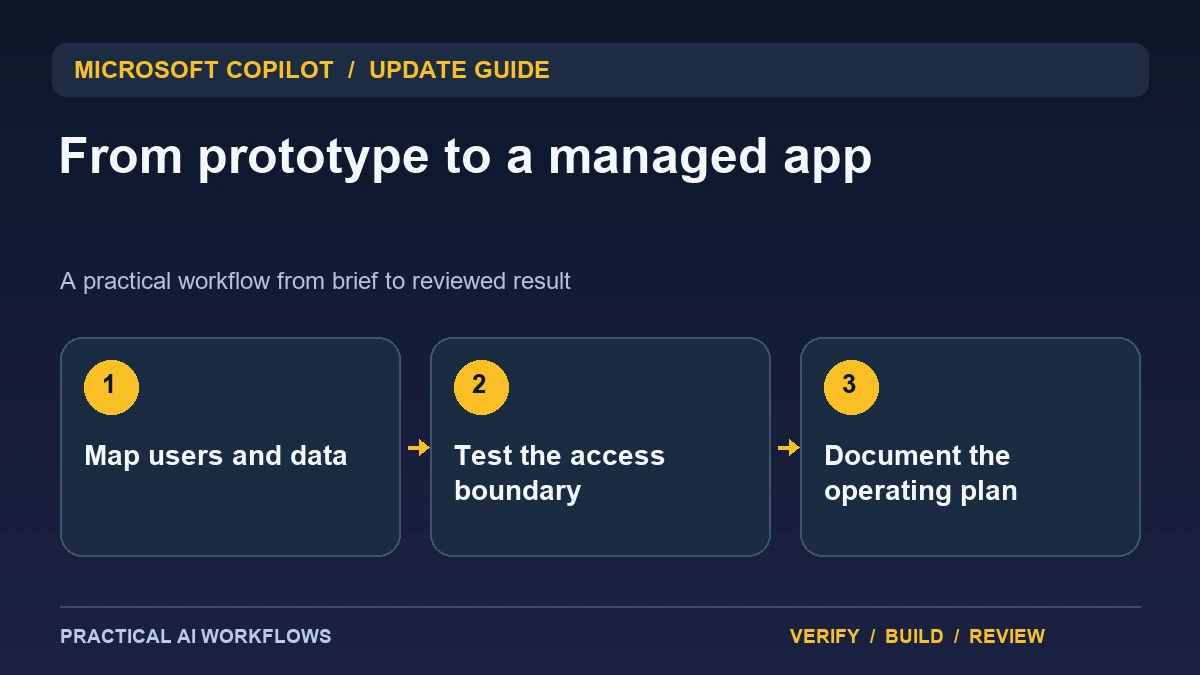
Illustration: an original editorial workflow graphic created for this article.
What the runtime announcement establishes
Microsoft's September 25 announcement introduces Copilot Managed Runtime in public preview, describing an enterprise hosting and operating layer within the Microsoft 365 tenant boundary. The announcement covers identity, connectors, source control, deployment, inventory, and administrator oversight. Preview availability and organizational settings still need to be checked in the environment where an app will run.
The practical challenge is moving from a convincing prototype to a maintained internal application. A generated interface can look finished while its data access, permissions, and recovery process remain unclear. Start with one business task and a small audience. This guide explains how to write a useful app brief, map access requirements, verify behavior, and prepare an operating note. Managed infrastructure can support the process, while the application still needs explicit responsibility and direct review.
Define the business task and data ownership
Describe the user, decision, source data, permitted action, and expected outcome. For an internal project tracker, identify who can read project status, who can edit assignments, and who can change the underlying process. Define what counts as the authoritative record and what is merely a displayed summary.
Use a simple data inventory with the source, owner, purpose, and sensitivity. Avoid collecting fields because they are easy to connect. An app that tracks completion may not need private conversation history or unrelated personnel information. List the questions that remain unanswered before implementation begins. A clear brief gives builders and administrators the same understanding of what the app does and prevents the prototype's convenience from silently expanding the scope of data access.
Continue the workflow: Google AI Studio Security Review: What Is Reported and How to Audit Your App.
Map roles to actual protected actions
Create examples for each role and state which operations should succeed or fail. A viewer may read an assigned project's status, an editor may update certain fields, and an administrator may manage the app. Those distinctions need enforcement at the relevant data and action boundaries, not merely different visible buttons.
Test using fictional records and accounts with different permissions. Try reading a record outside the user's intended scope and submitting an update without the required role. Inspect the response as well as the interface. Keep the expected outcome and observed result in the review record. Even when the hosting platform supplies identity and organizational controls, the app's own behavior must be checked against its business rules. A known boundary is more useful than a general statement that the environment is governed.
Keep versions and deployment evidence understandable
Save the brief, implementation version, configuration names, and verification together. Keep credential values out of shared project notes. Describe the difference between the version under development and the version available to users. A preview should not be mistaken for a completed release because it is accessible through a link.
Plan the checks that justify deployment: main workflow, permission examples, failure messages, and any data writes. Decide who reviews the result and how users report a problem. Inspect the final app using the role and device most relevant to its audience. A useful version record helps a team identify what changed when behavior differs later, and it gives the next developer a concrete starting point instead of an unstructured conversation history.
A worked example: an internal creative-project tracker
A fictional team wants a tracker that displays approved project milestones and lets coordinators update blocked inputs. The brief limits access to the relevant team and identifies the existing project system as the authoritative source. A generated prototype uses test records first.
A reviewer checks whether an ordinary viewer can edit a milestone or see an unrelated team's record. The coordinator tests a failed write and confirms that the interface does not show a false success. The app displays when its data was refreshed and provides a clear route for reporting a discrepancy. This example tests usefulness and boundaries together, making it easier to decide whether the prototype is ready for a controlled audience.
Continue the workflow: ChatGPT for Project Planning: Scope, Tasks, and Risks.
Treat an application failure as an ownership question
A managed hosting arrangement can simplify infrastructure work while leaving the business team responsible for what an application does. Imagine a fictional internal approval tool that routes a request to the wrong manager. Investigate its input, identity context, routing rule, and saved result before assuming the runtime is at fault. Assign an application owner who can review the behavior and an administrator who can inspect the relevant hosting or access settings. Clear roles make a small incident easier to resolve.
Keep a minimal operational record containing the app's purpose, data sources, expected users, support contact, and recovery procedure. Explain how a reviewer can identify the running version and compare it with the last approved change. Test a user with ordinary access and a user who should be denied, using fictional records. Also test an unavailable connector and an incomplete request. The application should show an understandable state rather than silently treating missing data as approval. After a change, verify the important business action as well as basic availability. A managed runtime is most useful when the team retains enough evidence to explain the application's decisions, support its users, and reverse an unsuitable change without guessing how the app was produced.
Prepare the operating plan before expanding usage
Assign an owner for the app, data connections, support, and updates. Document how to disable a problematic version, recover from a failed change, and verify the restored behavior. Keep administrator inventory and application-specific notes consistent so the team knows which version and connections are active.
Measure whether the app improves the intended task without adding hidden reconciliation work. Gather feedback from the small pilot audience and inspect errors rather than counting visits alone. Expand only when the benefits and support needs are understood. The preview provides an operating foundation to investigate, while dependable internal software still needs a clear data contract, tested permissions, version evidence, and someone responsible for maintaining the workflow after the first successful demonstration.
Frequently asked questions
When was Managed Runtime announced?
Microsoft's official announcement is dated September 25, 2026 and describes a public preview. Check current environment eligibility and organizational settings.
Does managed hosting make every generated app correct?
No. Verify the app's business rules, data mappings, protected actions, and failure behavior. Infrastructure support does not replace application review.
What belongs in the first app brief?
Include users, intended decision, source data, allowed actions, authoritative record, reviewer, and limits. Keep the first pilot focused on one business task.
How should permissions be tested?
Use fictional records and roles, then attempt both allowed and rejected actions. Inspect server responses and data access as well as visible controls.
What should a version record contain?
Save the brief, implementation version, relevant configuration names, checks, deployment state, and remaining limits. Exclude actual credential values.
Who should own the app after launch?
Assign responsibility for support, connections, updates, and recovery. A maintained internal workflow needs an operational owner after the prototype is accepted.
Resources and references
Official references checked on October 5, 2026. Consult the current documentation for access, setup and limitations.