Editorial check: October 5, 2026. Official release: September 22, 2026.
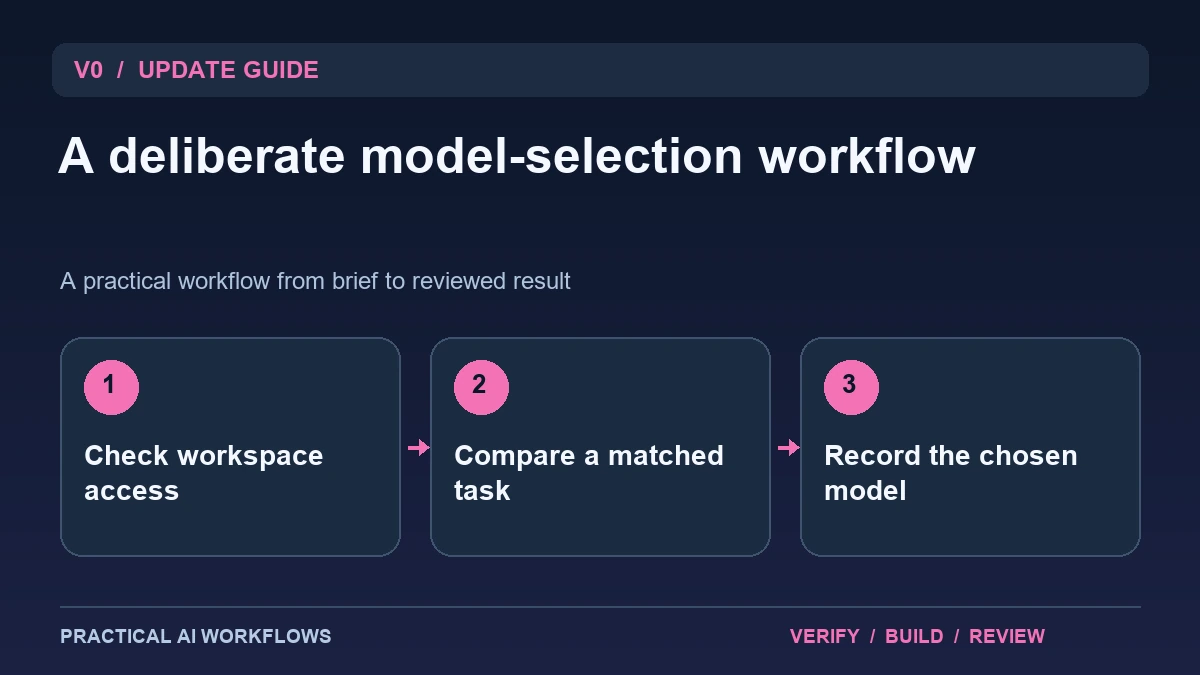
Illustration: an original editorial workflow graphic created for this article.
What the model-picker update changes
v0's September 22 changelog describes expanded model selection with Enterprise owner controls. Members can browse available AI Gateway choices, while owners manage whether custom models are enabled. Existing restrictions can still apply. The update makes selection more flexible, but a visible model listing should not be confused with permission to use it in every workspace.
A useful team process connects model choice to the work and its constraints. A prototype, a repository repair, and a confidential internal tool may need different settings. Write those needs down before choosing a model because it is new or appears fast. This guide explains a small evaluation process, the distinction between workspace access and task instructions, and the record that helps teammates understand which configuration produced a particular implementation.
Create a model policy that a builder can follow
Document the approved choices, who may change them, and the kinds of projects they fit. Keep the policy concise and link to current account settings for details that change. A builder should be able to determine whether a model is allowed before starting a task, without relying on a remembered conversation.
Separate a preferred model from a mandatory restriction. A preference can be reconsidered when a matched test provides better evidence. A restriction may exist because of organizational requirements and should not be bypassed to complete a demo. Include a path for requesting an additional choice and the evidence needed for that decision. This keeps flexibility useful while preserving a clear account of responsibility. Review the policy when the product or the team's actual needs change.
Continue the workflow: Claude Opus 5.5 in Antigravity: How to Compare Website Builds Fairly.
Compare the same build with a fixed brief
Use a fictional task such as an article directory with category filters and search. Supply the text, data shape, brand direction, and expected behavior. Require clear placeholders for features that are not implemented. Give each candidate the same starting material where possible and record any difference in available tools or modes.
Write the review criteria before seeing the output. Include correct filtering, accessible controls, narrow-screen layout, and maintainable code. Record usage and time, but do not make speed the only measure. An attractive directory with broken search has failed the brief. Save the first result and the final repaired version so you can compare the amount of intervention required. A useful model evaluation should describe the work needed to reach a dependable result.
Inspect the generated implementation and preview
Open the preview at several widths and follow the main reading path. Search for a term with results and one without results. Change the category and confirm that the selected state remains understandable. Use a keyboard to operate controls and check the focus indicator. Inspect generated files for unnecessary dependencies or duplicated logic.
Review factual content separately from the interface. A model may invent testimonials or product claims to make a page persuasive. Replace those with supplied copy or explicit placeholders. For connected functionality, verify the response and saved record instead of trusting a success message. Keep a short defect list with the trigger, expected behavior, and observed behavior. This makes the repair request precise and gives the final review a concrete standard.
A worked example: an agency portfolio prototype
A fictional agency supplies three service descriptions, six approved project thumbnails, and a contact workflow that remains a prototype. The v0 task builds a portfolio with service filters and a detail view. Two approved model choices receive the same assets and acceptance criteria.
Compare how well each preserves the copy, handles long titles, and distinguishes the simulated contact action from a real submission. Ask both to fix the same mobile navigation issue. Inspect whether the repair remains focused or changes unrelated sections. Record the final files, checks, model label, and workspace mode. The example provides a practical choice for a recurring agency task without claiming that one model is best for every kind of application.
Continue the workflow: Build a Website with Claude: A Beginner’s Workflow.
Diagnose inconsistent outputs before changing the team policy
Two teammates can receive different drafts even when they describe the same screen. Before changing an enterprise model policy, compare the actual inputs: selected model, attached files, conversation history, starting project, and acceptance criteria. A screenshot with no functional requirements is a different task from a brief that specifies keyboard behavior and data validation. Save a compact comparison using a fictional project so the team can repeat it. Evaluate the output against the same checklist instead of choosing whichever first impression feels stronger.
If a difference matters, identify its practical consequence. One model might preserve a component's existing API while another rewrites it; the useful question is whether the rewrite still satisfies the project and creates manageable review work. Keep a baseline implementation available and compare the proposed change against it. Document any model choice as a recommendation for a particular task, with the date and conditions of the evaluation. Avoid turning a small experiment into a universal ranking. Team controls become easier to maintain when administrators can connect an allowed option to a real need, and when developers understand the review responsibilities that remain regardless of the selected model.
Keep model choice visible at handoff
When a build is ready for another teammate, include the brief, selected configuration, final diff, verification, and remaining limits. Avoid handing over only a chat link with no explanation of what is finished. A reviewer should be able to reproduce the main workflow and distinguish a working feature from a planned one.
Date the comparison and keep the matched task as a reusable example. Reevaluate when a relevant new choice or product change affects your work. Do not repeat a large benchmark merely because the picker contains more entries. The update is useful when it helps a team choose an appropriate configuration deliberately. Workspace controls define what is allowed; task evidence establishes what is useful; a clear handoff preserves the reasoning behind the final decision.
Frequently asked questions
When was the Enterprise picker update documented?
The official v0 changelog dates it to September 22, 2026. Verify current workspace access and owner settings before assuming a listed choice is enabled.
Can a member enable any listed model?
Access depends on workspace controls and applicable restrictions. A model being visible or searchable does not establish that every member may use it.
How should models be compared?
Use the same brief, starting assets, and review criteria. Track correctness, repair effort, usage, and time rather than judging only the first screenshot.
Should a prototype include invented testimonials?
Use supplied, substantiated copy or clear placeholders. Generated persuasive details should not become published facts without review.
What belongs in the handoff?
Include the configuration, intended behavior, final files, verification, and remaining limitations. This helps another person review and continue the work.
When is a new comparison worthwhile?
Run it when a relevant product change or new project need could change the decision. Keep earlier dated examples so the next evaluation stays comparable.
Resources and references
Official references checked on October 5, 2026. Consult the current documentation for access, setup and limitations.