
Editorial check: October 5, 2026. Official release: October 2, 2026.
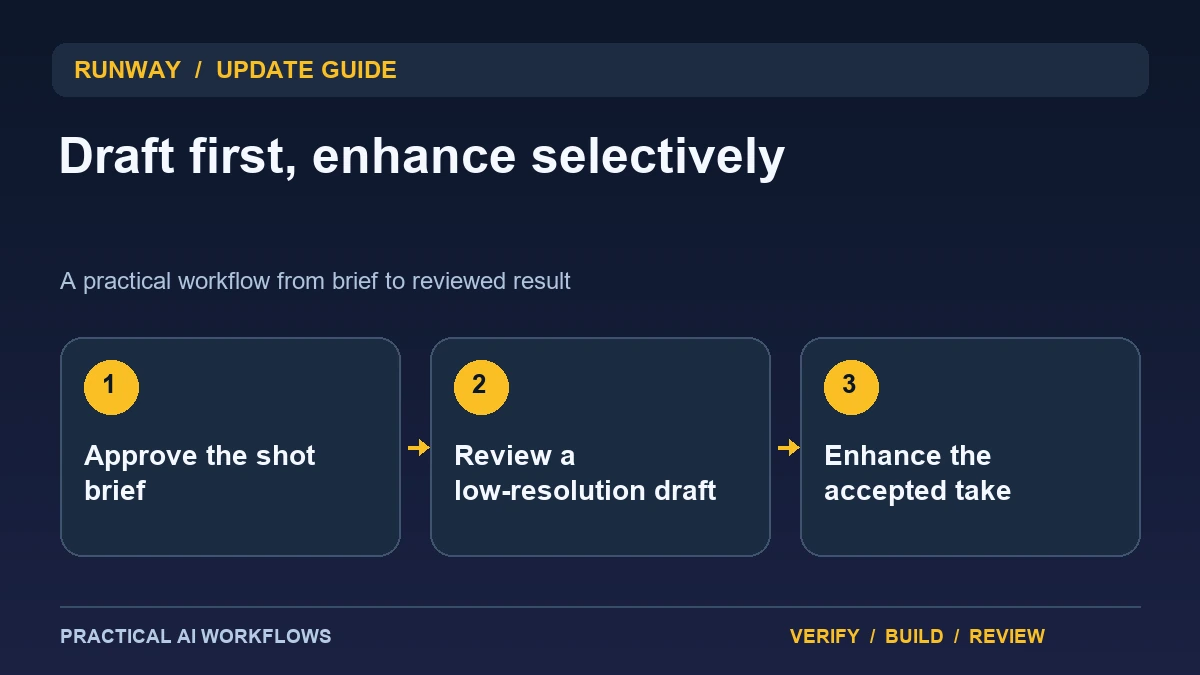
Illustration: an original editorial workflow graphic created for this article.
What the Draft Mode update adds
Runway's October 2 changelog describes Seedance 2.5 Draft Mode in Agent, with 480p draft generation and post-generation enhancement. The announcement positions it as a faster way to iterate and correct concepts before refining them. A draft is therefore a decision aid, not a finished deliverable whose low resolution should be mistaken for final quality.
The practical question is which decisions can be made cheaply at the draft stage. Composition, action, scene purpose, and broad timing can often be reviewed before spending effort on the final output. Fine lettering or tiny product details may require a higher-quality inspection later. Begin with a short scene and explicit acceptance criteria. This guide explains a two-stage review process that uses drafts to reject weak concepts early while preserving a separate quality check for the enhanced result.
Write a shot brief before generating variations
Describe the subject, action, setting, framing, camera behavior, duration, and purpose of the scene. State which details must remain fixed. For a product example, the packaging shape and label may be essential, while lighting can be explored. Keep the scene tied to the script so attractive motion does not replace the intended message.
Choose a small number of variations with a clear reason for each. You might compare a static frame with a slow camera move or two different backgrounds. Avoid changing every property at once because that makes the results harder to interpret. Assign scene and take identifiers before generating assets. A clear brief and naming scheme let you record which draft was approved and make later enhancement or editing traceable to the original decision.
Continue the workflow: Runway AI Video: Plan Better Shots and Edit the Results.
Review the draft for story and continuity
Watch the draft at normal speed and ask what it communicates. Check whether the subject performs the intended action, whether the camera motion supports that action, and whether the scene fits the surrounding sequence. Compare the beginning and ending frames for changes in identity, geometry, or objects.
Do not reject a concept solely because draft resolution hides a detail it is not meant to establish. Equally, do not approve a factual product representation without checking the details later. Record the decision in two parts: concept accepted and final quality pending. This prevents an early creative approval from becoming a claim that the asset is ready to publish. Give revision requests based on observed problems, such as an unwanted extra object or a camera move that obscures the subject.
Enhance the accepted take and inspect it again
Enhance only the draft that meets the concept criteria. Save the accepted draft so you can compare the refined output with the version that was approved. Inspect whether the enhancement preserves composition and motion rather than assuming it merely adds pixels without affecting the result.
Check lettering, edges, faces, product proportions, and visual artifacts at the intended display size. Watch the full clip and inspect several frames around important transitions. If enhancement exposes or introduces a problem, decide whether a targeted repair or a new draft is appropriate. Keep the approved final asset separate from experimental variants. A two-stage workflow succeeds when it saves wasted generation while still producing a reviewed deliverable, not when it treats enhancement as an automatic guarantee of correctness.
A worked example: a three-scene product concept
A fictional studio plans a short concept video with a product reveal, a use demonstration, and a closing frame. It drafts each scene separately using the same product description and visual direction. The team approves the reveal composition but rejects the use scene because the object changes shape.
Only accepted takes proceed to enhancement. The refined reveal is then checked against the reference image, including the packaging details. The closing text is added in an editable layer rather than relying on generated lettering. Review the assembled sequence for continuity and pacing. The example shows why draft approval, detail review, and final editing are separate decisions, each with evidence that can be saved and revisited.
Continue the workflow: ElevenLabs MCP: Plan an AI Video Studio from Script to Reviewed Export.
Avoid approving a concept that cannot survive enhancement
A low-resolution concept can hide details that matter in the finished clip. Imagine a product demonstration where the overall camera move is convincing, but the control labels are unreadable and the hand interaction is ambiguous. Before approving the concept, write down which details the final shot must preserve. Evaluate the motion and composition at the draft stage, then reserve judgment on small text, fine edges, and product accuracy until the enhanced result is available. Treat these as two separate review decisions.
Keep the approved draft beside the enhanced version and compare the start, middle, and end of the shot. Look for a changed gesture, unexpected object, inconsistent product shape, or timing shift that alters the message. If a defect appears, identify the affected interval and decide whether a revised concept, shorter shot, or conventional insert would solve it. Avoid adding enhancement repeatedly without knowing which problem you are trying to repair. A simple production log can record the prompt, approved concept, final version, and reviewer. This is particularly useful when several similar drafts exist. The successful outcome is a final shot that communicates the intended action clearly, rather than a draft that merely looks promising at a smaller size.
Measure the whole production loop
Track the time and usage spent on drafts, rejected variants, enhancements, and manual repairs. Compare this with the previous workflow for a similar scene. A faster first generation is not necessarily an overall improvement if the enhanced output needs extensive correction.
Keep the brief, selected draft, final asset, settings where available, and review note together. Document the destination format and inspect the actual exported file outside the editor. For recurring work, reuse the naming and review process while updating the creative brief. The update is most useful when it makes early decisions cheaper and clearer. Final quality still comes from understanding the scene's purpose, preserving important details, and reviewing the accepted export as the audience will encounter it.
Frequently asked questions
When was Draft Mode documented?
Runway's official changelog dates Seedance 2.5 Draft Mode in Agent to October 2, 2026 and describes 480p drafts with post-generation enhancement.
Is a draft a finished asset?
No. Use it to judge the concept and broad motion, then inspect the enhanced result for detail and final delivery quality.
Should every draft be enhanced?
Enhance the take that meets the concept criteria. Refining rejected variants wastes effort and can make the accepted version harder to track.
Can enhancement change important details?
Compare the output with the approved draft and references. Do not assume refinement preserves every product feature, frame, or visual element unchanged.
How should text be handled?
Use reviewed copy and editable text layers where practical. Check spelling, readability, and destination cropping in the final exported asset.
What should be measured?
Track the full loop: drafts, rejected takes, enhancement, repair, and export. Judge overall production effort alongside quality rather than first-generation speed alone.
Resources and references
Official references checked on October 5, 2026. Consult the current documentation for access, setup and limitations.