Editorial check: October 5, 2026. Official release: October 1, 2026.
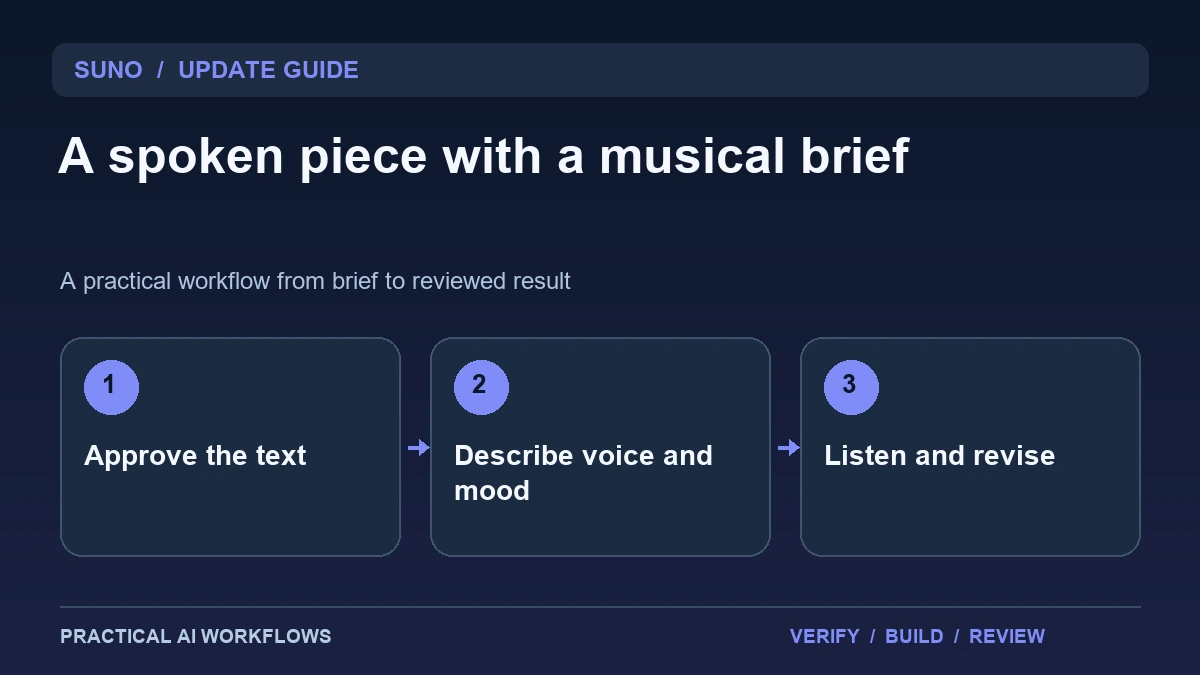
Illustration: an original editorial workflow graphic created for this article.
What Speech beta changes
Suno's October 1 announcement introduces Speech beta for spoken audio with original background music. The product description starts with written material or an idea and a description of the desired voice and musical style. Suno labels it a beta and discusses variable behavior, so a generated track should be evaluated as an experiment rather than assumed to match every requested accent or timing detail.
The useful starting point is a short original passage you are authorized to use. Decide whether the piece is a story, introduction, poem, or explanation, then define what the listener should feel and understand. This guide explains how to prepare text, write a creative direction, review meaning and sound, and decide whether the result fits its intended destination.
Prepare a text that works when spoken
Read the passage aloud before generating it. Shorten sentences that require several clauses to understand and clarify references that depend on a visual page. Check names, pronunciation-sensitive words, numbers, and any claim that should be supported. The strongest audio brief begins with text that already communicates clearly.
Mark sections where emphasis or a pause would change meaning. Avoid inserting so many directions that the piece becomes harder to interpret than the original text. For a factual explainer, keep the claims restrained and source-backed. For a fictional story, make the fictional nature clear in the surrounding presentation. Keep an approved text version so you can compare the generated words with the intended message. A compelling performance should not become an excuse to overlook an altered sentence.
Continue the workflow: ElevenLabs Voiceovers: From Script to Natural Audio.
Describe the voice and musical role
Write a compact creative direction for pace, tone, emotional intensity, and the role of music. A calm explanation may need a steady voice and unobtrusive background, while a dramatic fictional reading can support stronger contrast. Be specific about what the music should do instead of using a long list of unrelated style words.
Use voices and reference material within your rights and the service's current rules. Do not present a synthetic track as an authentic statement from a real person. Start with a short sample before producing a longer piece. Record the text and direction used for each variant. If you compare versions, change one meaningful element at a time, such as pacing or the music's intensity, so you can tell what improved the listening experience.
Listen for meaning as well as performance
Review the generated piece while reading the approved text. Check whether words were omitted, repeated, or pronounced in a way that changes meaning. Listen to pauses and sentence endings. A dramatic pause can be effective in a poem but confusing in an instruction or a number sequence.
Then listen without reading. Can someone follow the passage comfortably, and does the music support rather than cover the voice? Inspect the beginning and end for abrupt changes. Review accent and tone against the brief without claiming that one sample establishes stable behavior for every request. Keep the accepted result and a note of remaining limits. The evaluation should distinguish artistic preference from an actual defect such as incorrect wording or unintelligible speech.
A worked example: a fictional tutorial introduction
A fictional creator writes an original introduction explaining that a video will show three steps for organizing research notes. The approved text is brief and factual. The direction asks for a calm, clear voice with restrained background music that becomes quieter during the explanation.
Generate a short version and compare it with the text. If the tool name is mispronounced, revise the wording or pronunciation approach and listen again. Ask another person to repeat the three steps after hearing the piece once. If the music obscures the message, simplify the direction or choose a different production workflow. The example tests whether the combined voice-and-music result actually improves the introduction, rather than judging it only by emotional impact.
Continue the workflow: Descript's Caption and Audio Update: Build a Clearer Tutorial Editing Workflow.
Repair a spoken segment without losing the message
A generated spoken segment can sound expressive while stressing the wrong word. In a fictional appointment reminder, emphasizing a decorative phrase may distract from the date and arrival instructions. Listen once without reading the script and write down what you actually remember. Then compare that impression with the message's purpose. Revise a long sentence into two shorter sentences, make the important date explicit, and remove a phrase that could be mistaken for an instruction. Recheck the full segment rather than judging an isolated line.
If background music competes with the voice, decide whether the segment needs music at all. A simple announcement may be clearer with a restrained bed or a separate conventional edit. Keep the approved script as the source of truth and compare the final audio against it for omissions, repeated words, and changed meaning. Ask a listener unfamiliar with the project to summarize the required action. Their answer can reveal ambiguity that the author has stopped noticing. Save the accepted version with its script and intended destination. This gives the next reviewer a concrete reference and prevents an attractive alternative from replacing a clearer recording merely because it sounds more dramatic.
Choose an appropriate delivery and revision workflow
Check current export options and inspect the actual file outside the application. Confirm duration, playback, loudness, and the fit with any video or presentation it will accompany. If precise editing of separate elements is essential, determine whether the available output supports that need before building the rest of the project around it.
Save the approved text, creative direction, accepted track, and review notes. Check current usage and rights guidance for the intended destination instead of assuming a beta output is automatically suitable for every commercial use. Measure generation and repair effort across several small pieces. Speech beta is useful when the combined performance serves the message, while a conventional multi-track process may remain preferable when exact timing, independent mixing, or frequent factual updates are the priority.
Frequently asked questions
When was Speech beta announced?
Suno's official announcement is dated October 1, 2026. It describes spoken audio with music and explicitly labels the feature as a beta.
What should the first input be?
Use a short original or authorized passage that already reads well aloud. Approve the wording before evaluating voice and music.
Should an accent be assumed reliable?
Test the actual result. Beta behavior can vary, and a requested accent or pause may not remain consistent across every generation.
How should the music be judged?
Listen with and without the written text. Music should support the intended experience without obscuring words or changing the apparent meaning.
Can the track impersonate a real speaker?
Use material and voices within your rights and the service rules. Do not present synthetic speech as an authentic statement from another person.
When might a separate editing workflow be better?
Consider it when you need exact timing, independent mixing, or frequent corrections. Check available export options before relying on a combined track.
Resources and references
Official references checked on October 5, 2026. Consult the current documentation for access, setup and limitations.