Updated October 5, 2026. A practical guide to Antigravity, with examples, FAQs and official resources. Check the linked product documentation for current access, setup and limitations.
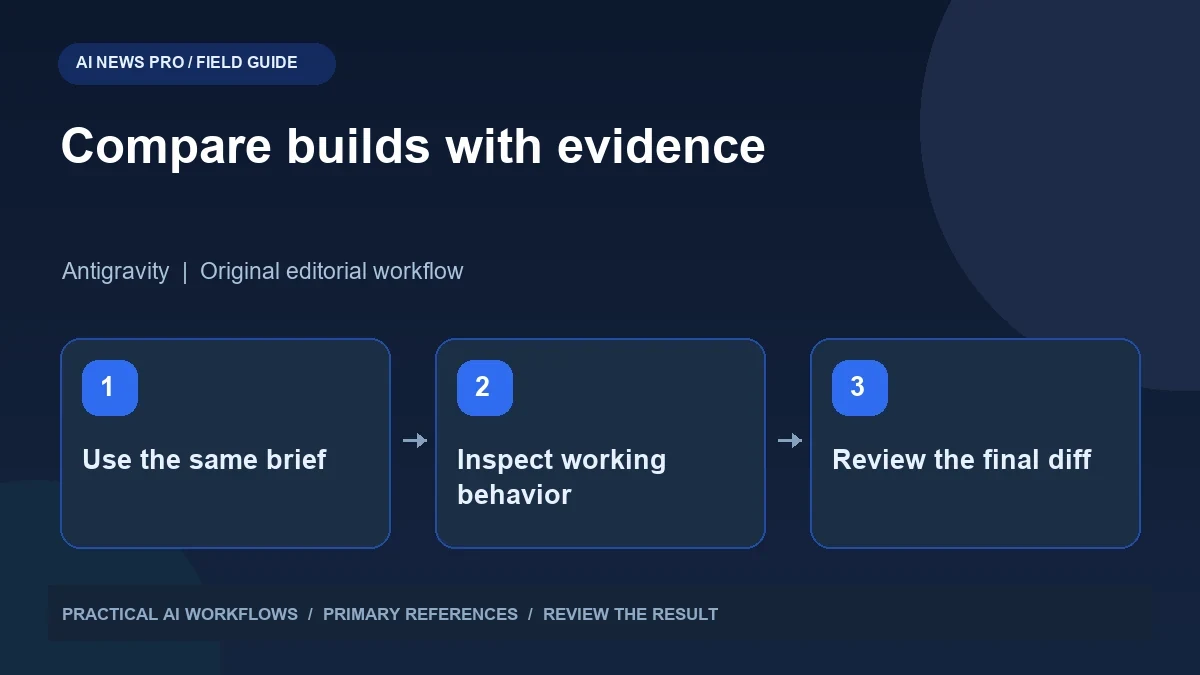
Illustration: an original editorial workflow graphic created for this article.
Separate model access from product behavior
Google's Antigravity model documentation lists Claude Opus 5.5, while access and limits depend on the account and product configuration. A model appearing in a selector does not mean every environment gives it identical tools, instructions, context, or time to finish. Comparing website builds therefore requires a matched brief and a clear scorecard. Supply the same content, assets, expected interactions, and limits on invented claims. Review the working behavior as well as the first screenshot. This guide explains how to compare implementation quality, repair effort, and final evidence so you can choose the environment that fits your actual website projects.
A useful comparison therefore evaluates the whole workflow while documenting those differences. If one environment can inspect an existing repository and another receives only a short prompt, their results answer different questions. Decide whether you are comparing fresh landing pages, changes to an existing site, or production troubleshooting. Record the environment, model label, date, and available tools. This helps you interpret the result without assigning every difference in design or code quality to the underlying model alone.
Give both environments a complete brief
Use a brief with concrete content and observable behavior. For a fictional booking page, supply the service name, real text you want displayed, three plan descriptions, an inquiry form, and expected mobile behavior. Include brand colors and any assets you have permission to use. Explain what happens when someone submits the form rather than leaving the assistant to invent a backend.
Set explicit boundaries around invented claims. Ask for placeholder labels instead of fabricated testimonials, customer logos, certifications, or pricing. If the task is a prototype, state which interactions can be simulated and make the simulation visible. Use the same starting files where practical. A comparison becomes much more useful when both builds solve the same problem with the same information, instead of competing to produce the most attractive interpretation of a vague request.
Continue the workflow: Build a Website with Claude: A Beginner’s Workflow.
Define a scorecard before seeing the output
Write the criteria before generating either build. Include content accuracy, responsive layout, accessibility, navigation, functional behavior, and maintainability. Describe what passing means: the mobile menu opens with a keyboard, form errors are understandable, headings follow a logical order, and the primary action leads to the intended destination.
Separate visual judgment from functional defects. A reviewer may prefer one color scheme while both designs satisfy the brief. A beautiful form that drops submissions has a more serious issue. Use a small scale with written observations instead of a single unexplained percentage. Include a criterion for unsupported content: fabricated testimonials should count against the result even if they look convincing. This prevents presentation polish from hiding incorrect or unfinished work and gives the next repair request a concrete target.
Run a realistic first-pass inspection
Open the generated page at desktop and narrow phone widths. Follow every navigation link and complete the main workflow using fictional inputs. Try an empty form, an invalid address, a long name, and keyboard-only navigation. Inspect the browser console and server response where relevant. A visible success message does not establish that data was saved or delivered.
Review the generated files as well as the rendered page. Look for duplicated components, unexplained dependencies, hard-coded secrets, inaccessible controls, and large unrelated changes. Check whether the implementation fits the existing project rather than replacing it unnecessarily. Record the defects before asking for repairs. Otherwise you may remember only the final polished result and overlook how much manual intervention was required to get there. The effort needed to reach a reliable version is part of the comparison.
Compare the repair cycle, not only the first screenshot
Give both environments the same repair request based on the scorecard. For example: fix keyboard focus in the menu, preserve entered form values after validation fails, and replace invented customer claims with the supplied copy. Ask for an explanation of the changed files and the checks performed. Inspect the resulting diff and rerun the affected workflows.
Count meaningful iterations rather than conversation messages. One environment may handle several related issues coherently while another fixes one and introduces another. Note whether the assistant recognizes uncertainty and asks for missing backend details, or confidently claims a simulated form is production-ready. The strongest workflow is the one that helps you reach a correct, reviewable implementation with manageable effort. A striking first draft is useful, but it is only one stage of website development.
Continue the workflow: Claude for Coding: Understand, Debug, and Review Code.
A worked example to try
Use a fictional consulting page with an inquiry form and three supplied service descriptions. Give both environments the same text and ask them to avoid customer claims. In the review, enter an invalid address and a long company name, then inspect narrow-screen layout. Record whether each build preserves the input and explains the error clearly.
Ask both systems to repair the same observed defect. Inspect the diff to see whether the repair changes only the relevant form behavior or rewrites unrelated sections. Keep screenshots and notes from the first and final versions. The experiment gives you evidence about implementation and iteration, not merely visual preference. It is small enough to repeat and specific enough that another reviewer can understand why you chose one workflow.
Choose the environment that fits your project
For a new prototype, fast previews and visual iteration may be your priorities. For an established application, repository awareness, small changes, and trustworthy validation may matter more. Summarize the comparison against those needs. Keep example screenshots and the final code so you can revisit the conclusion when tools or model availability change.
Avoid turning a two-build experiment into a universal ranking. A landing page comparison tells you little about a complicated migration or an application with private integrations. Repeat the evaluation only when a new task or product change justifies it. Once you choose an environment, retain the brief and scorecard as a reusable review process. The practical benefit of recent model access is broader choice; the useful decision still comes from testing the work you actually need.
Frequently asked questions
Is Opus 5.5 listed in Antigravity documentation?
Yes, the official model documentation lists it. Check your account for current access and limits because availability can depend on the product configuration.
Does the same model guarantee identical output?
No. Instructions, context, tools, starting files, and generation variability can change results. Document these factors when comparing environments.
What is the fairest website test?
Use the same brief and starting assets, define criteria in advance, and inspect both functionality and presentation. Include the effort required to repair defects.
Should generated testimonials stay in the page?
Use only testimonials you can substantiate and have permission to publish. Replace invented quotes or customer logos with clear placeholders during prototyping.
Why compare the repair cycle?
Production work usually requires iteration. A workflow that resolves defects cleanly and provides evidence may be more useful than one that produces a prettier first screenshot.
Can one comparison identify the best tool for everyone?
No. Evaluate the kinds of projects you actually handle. A prototype test does not establish performance on an existing application or a complex integration.
Resources and references
Use these links to verify capabilities, access and setup. Product documentation can change after this editorial check.