Editorial check: October 5, 2026. Official release: September 14, 2026.
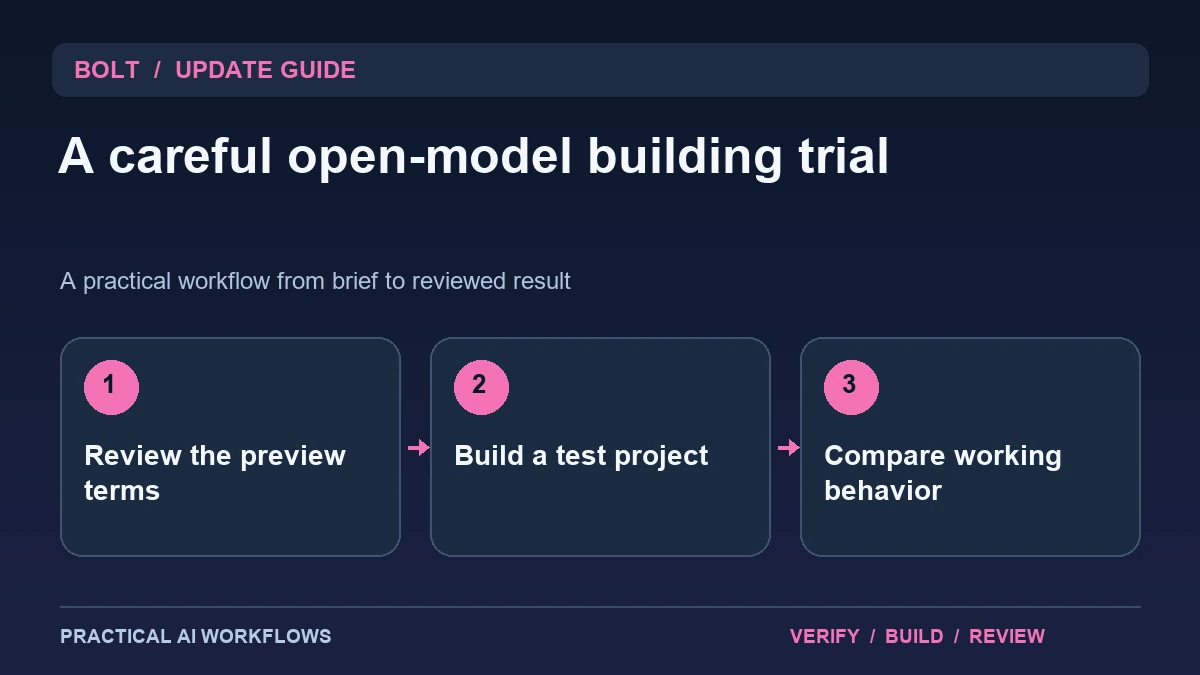
Illustration: an original editorial workflow graphic created for this article.
What Bolt Forge offers in its preview
Bolt's September 14 announcement describes Forge as an agent using open models inside Bolt.new, with a research preview and a temporary higher usage allowance for eligible individual Pro users through October 14. The announcement also describes opt-in session sharing and applicable exclusions. Check the current terms and account experience before selecting it, particularly for client or confidential projects.
Open-model building inside a hosted product should not be confused with running an entirely local environment that you control. Evaluate the agent as one component of the product workflow. Start with a duplicate or disposable project and a clear brief. This guide explains how to compare a representative build, review data choices, inspect generated changes, and decide whether the preview is useful for your own work rather than treating an allowance or benchmark as the decision by itself.
Choose a project whose behavior you can inspect
Use a fictional directory, portfolio, or internal prototype with supplied text and simple interactions. Define acceptance criteria such as readable mobile layout, correct filtering, and an understandable empty state. Keep external accounts and real customer records out of the first trial.
Save the starting project and make a separate copy for the experiment. If you compare agents, give them the same brief and assets where possible. Record the selected mode and any difference in tools or input support. A small project is useful because you can inspect the generated files and main workflows directly. It also prevents an experimental change from disrupting a serious build whose dependencies and prior decisions are difficult to reproduce.
Continue the workflow: Build a Website with Claude: A Beginner’s Workflow.
Read consent and data choices before using private inputs
Understand what the product says about shared sessions, included material, exclusions, and how to change the setting. Use the current official terms rather than a remembered summary. A de-identification claim should not be treated as a reason to submit unnecessary private information to a trial.
Prepare a fictional or approved input set and keep credentials outside shared project content. If a client contract or organizational policy affects the work, resolve that requirement before including its files. Record the configuration choice by name without copying sensitive values into the review note. The objective is an informed, bounded experiment whose inputs are appropriate for the chosen environment. A larger allowance is useful only if the workflow also fits the obligations attached to the material you are building.
Compare the complete implementation cycle
Inspect the first generated version and record the defects before asking for repairs. Evaluate functionality, copy accuracy, accessibility, layout, dependencies, and whether the implementation fits the brief. A polished screenshot can hide a simulated form or a broken filter.
Give a specific repair request and inspect the final diff. Check whether the agent resolves the issue without changing unrelated behavior. Run the main workflow again and open the saved or exported result outside the immediate preview where appropriate. Record the number of meaningful iterations and the effort required to reach an accepted version. This makes the comparison about useful completed work rather than a single score or the apparent speed of the first response.
A worked example: a fictional service portfolio
A fictional studio supplies three service descriptions and a set of approved project images. The trial builds a portfolio with service filters and a contact section explicitly labeled as a prototype. The acceptance criteria prohibit invented testimonials and require a readable phone layout.
Review whether the generated page preserves the copy and distinguishes the simulated contact action from a real submission. Ask for a focused repair if the filter loses its state or the mobile menu is inaccessible. Inspect the final files and rerun the examples. Keep the accepted output separate from the serious project. This gives you evidence about a recurring creative task without exposing client data or allowing an experimental workflow to overwrite an established implementation.
Continue the workflow: Claude Opus 5.5 in Antigravity: How to Compare Website Builds Fairly.
Make a research trial useful even when the generated app disappoints
An early app-building trial can fail to meet its brief and still provide useful evidence. Suppose a fictional scheduling prototype looks polished but allows overlapping appointments. Keep the acceptance criteria written before the trial: valid time selection, conflict detection, readable errors, and a saved confirmation. Compare the generated app with those criteria and record the failing example. Avoid changing the definition of success after seeing a strong visual result. This keeps the evaluation useful for a later model or product revision.
Review the participation terms before including project material in a research preview. Use a synthetic brief and sample data when those are sufficient to test the workflow. Separate your evaluation of the resulting app from your decision about session-data sharing; they answer different questions. Keep a conventional copy of the brief, exported code where available, and test observations so the work remains understandable outside the preview. If a defect requires a manual repair, note the repair effort alongside generation time. The practical comparison is the time needed to obtain a dependable result, including review and correction. A research trial earns its place in a team workflow when it produces evidence that informs a concrete choice, even if the team decides to wait for a later release.
Use the preview only where the evidence supports it
Summarize correctness, repair effort, input limitations, usage, and maintenance needs. Check the current allowance and expiration terms when planning work beyond the preview window. Do not assume a temporary launch arrangement establishes the long-term operating cost or availability of every option.
Keep a known-good build and a clear route back to the ordinary workflow. Expand the trial only when a particular task benefits from the configuration. A capable open-model agent may be useful for exploration while another setup remains more suitable for a demanding production change. The value of Forge should be established by a reviewable result and appropriate data handling. A temporary allocation gives room to experiment; a matched task and final verification establish whether the experiment deserves to become part of your routine.
Frequently asked questions
When did the Forge preview begin?
Bolt's official article dates the research preview to September 14, 2026 and describes a temporary allowance through October 14 for eligible users.
Does open-model mean completely local?
Not in this context. Evaluate the hosted product's actual runtime and terms rather than assuming you control every part of the environment.
Should a serious project be used for the first trial?
Use a duplicate or disposable project with fictional or approved inputs. Preserve a known-good version before experimenting with an unfamiliar configuration.
What should be checked about consent?
Read current session-sharing terms, exclusions, and controls. Keep unnecessary private material and actual credentials out of the test inputs.
Does a benchmark settle the choice?
No. Compare matched tasks, final functionality, correction effort, and fit with your requirements. A general score cannot establish every project's outcome.
What happens after the temporary offer?
Check the current product terms and account allowance. Do not plan long-term work around an assumed continuation of a launch arrangement.
Resources and references
Official references checked on October 5, 2026. Consult the current documentation for access, setup and limitations.