Updated October 5, 2026. A practical guide to Claude, with examples, FAQs and official resources. Check the linked product documentation for current access, setup and limitations.
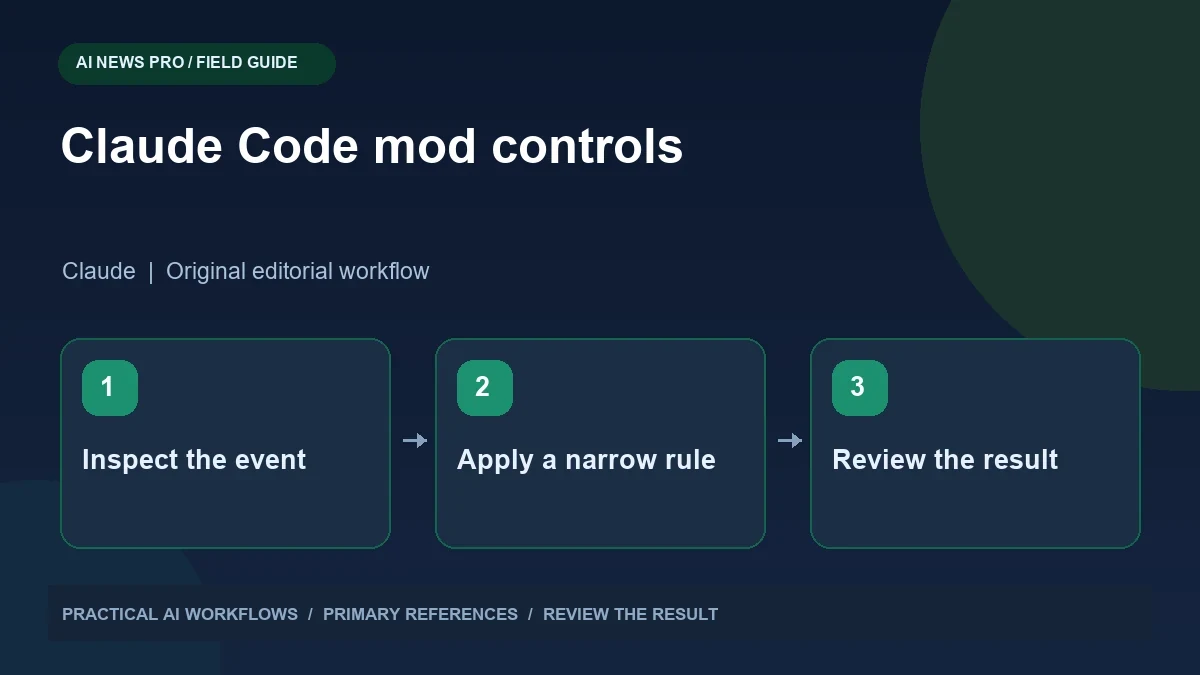
Illustration: an original editorial workflow graphic created for this article.
What Mods add to Claude Code
Anthropic announced Claude Code Mods on October 1, 2026. Mods are TypeScript functions packaged inside plugins that can change behavior and interface events. The official announcement describes prompt rewriting, tool-call modification, permission handling, and output redaction. These capabilities can support project-specific coding and editorial workflows, but their implementation needs review. Start with one narrow control and a test that exposes its actual behavior. Document its scope, expected effect, and limitations before using it around important files. This guide focuses on inspectable controls and a realistic review process, so customization helps developers understand their environment rather than making unfamiliar behavior harder to see.
The important boundary is that Mods are executable code. Anthropic says they run with Claude Code's machine access and are not sandboxed. Installing a Mod is therefore a software decision, even when the feature looks like a simple checklist or counter.
This article focuses on designing narrow, reviewable controls. A useful first Mod should solve a specific problem you can test, such as identifying a deployment command or showing whether a required content review is complete. It should make the workflow easier to inspect rather than conceal what the agent is doing.
Start with the action you want to control
Write down a concrete behavior before choosing an event hook. For example, when a command may deploy a website, display the target environment and require the expected review step. When a tool reads a configuration file, redact a known secret field before output is shown. These are different jobs and should be designed separately.
For an SEO publishing workflow, list the stages: research, draft, fact check, internal-link check, image review, and publication. Decide which stages are informational and which actions change the website. A missing checklist item can be a warning in the interface, while a deployment command may require stronger handling. Define the conditions using real command and tool structures where possible. Searching for one word in a string is rarely a complete understanding of what a command will do.
Continue the workflow: Claude Code: A Careful Workflow for Existing Projects.
Do not confuse redaction with permission
A redaction rule can reduce accidental exposure in tool output, but it does not decide whether the underlying action should occur. Similarly, hiding a dangerous-looking command from the screen does not make that command safe. Treat visibility controls and action controls as separate design responsibilities.
If a Mod removes a credential from displayed output, test different formats: a plain environment line, structured JSON, and a value embedded in an error message. Use fictional tokens for these tests. Check that useful diagnostic information remains visible. Overbroad redaction can make failures impossible to understand. For action rules, inspect how denial, approval, and uncertainty are represented. When the Mod cannot confidently classify a request, a visible review path is more useful than silently changing the request and leaving the operator unsure what actually ran.
Build the smallest useful prototype
Begin with an observation-only prototype that records the events relevant to your workflow without rewriting them. Use a local sample project and avoid production credentials. Confirm that the event information contains the fields your rule needs. Then add one behavior and repeat the same sample actions.
A content checklist prototype might track whether the draft includes a source section, valid internal links, and a named image file. It should show the evidence for each status instead of treating a mention of the word source as proof of good research. A command-control prototype might distinguish a local preview from a production publish operation. Keep its rule short enough for another developer to review. The goal is to prove that the intended event can be handled correctly before adding more powerful behavior or distributing the plugin to a team.
Test stacking and failure behavior
A Mod rarely operates alone forever. Test it alongside the plugins and controls used by your team. Determine whether another Mod can rewrite the same event, hide the same output, or alter the permission request your control expects. The official announcement describes load-order behavior; consult the relevant documentation for your installation and configuration.
Include failures in the test plan. What happens when the Mod throws an error, cannot parse a tool result, or receives an unexpected field? Does the operator see a useful message? Can the workflow be paused without losing the task? Check that removing the Mod restores ordinary behavior. Keep an example for every rule so upgrades can be reviewed against the same cases. A control that works only during a perfect demonstration is not ready to protect an everyday publishing process.
Continue the workflow: Claude Code Mods: Build a Useful Custom Interface for Your Coding Workflow.
A worked example to try
For a fictional repository, add a harmless marker string where a secret might otherwise appear. Configure your test extension to recognize that marker and observe what happens when the assistant prepares a tool call containing it. Inspect both the tool input and the logs. The objective is to understand the extension's behavior without exposing an actual credential.
Now test an unrelated command and confirm it remains usable. A control that blocks every operation may look strict while making the workflow impractical. Record which layer performs the check, how exceptions are handled, and what a reviewer can see. Keep the extension under version control and review changes to its rules. This exercise gives you a concrete baseline for evaluating customization before relying on it around real project data.
Roll out controls with an owner and evidence
Document what the Mod changes, what it cannot establish, and how users can inspect its results. Assign an owner to update it when tools or publishing commands change. Store the reviewed source and installation configuration in the team's normal code-review process. Avoid distributing a plugin solely as an unexplained snippet from a chat.
For an SEO team, connect the control to an existing review standard. A source checklist supports editorial review; it does not establish that every claim is true. A deployment warning supports release review; it does not establish that a database migration is correct. Review the output and the relevant test evidence before expanding its authority. A well-designed Mod makes the next decision clearer and gives the operator a trustworthy account of which action was requested, which rule applied, and what happened afterward.
Frequently asked questions
Are Claude Code Mods sandboxed?
Anthropic's announcement says they are not sandboxed and run with Claude Code's machine access. Treat their installation and source review like other executable software.
Should my first Mod approve commands automatically?
Start with a narrow observation or display task. Validate the relevant events before adding permission behavior, and keep a review path for requests the rule cannot classify.
Can redacting output prevent an unsafe action?
No. Redaction affects what is visible. The underlying request still needs its own permission and action controls, so test those responsibilities separately.
How can Mods help an SEO team?
They can surface review evidence, publishing targets, or missing workflow steps. They should support a documented editorial process rather than pretend to prove content quality automatically.
Why does stacking need testing?
Several Mods may handle the same event. Their interaction can change what a later control sees, so test your real combination and consult the documented load-order behavior.
What should a rollout document include?
Describe the intended behavior, limitations, owner, installation, test cases, and removal path. Keep the reviewed source with the team's normal version-control and review process.
Resources and references
Use these links to verify capabilities, access and setup. Product documentation can change after this editorial check.